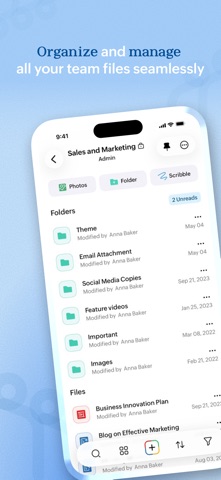
Zoho WorkDrive is an online file storage and content collaboration platform built for both individuals and teams. You can store, organize, and manage all your files in a single place and access them from any device.
Here's what you can do with the WorkDrive mobile app,
Upload files faster:
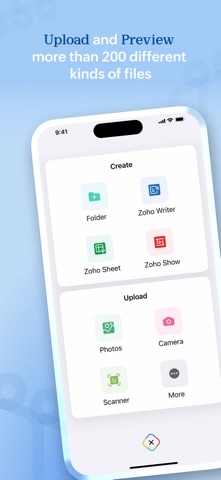
Upload photos from your mobile camera or audio recordings and save files from other apps to WorkDrive to manage everything in a single place. You can also scan documents to the cloud using your camera, and to digitalize your bills, whiteboard discussions, and notes.
Seamless file sharing:
Sharing large files is quick and simple with WorkDrive. Share files via email and assign required permission based on what you want them to do.
Locate files quickly:
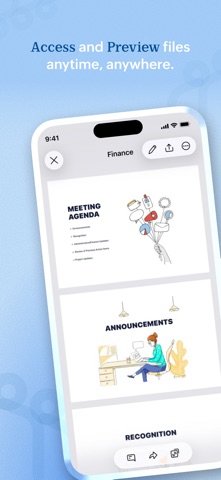
Search and filter files based on location, file types, and time, to locate them faster. Rename, trash, and organize files right from your smartphones. You can also set files as favourite to access them quickly. Preview files and add comments to them to discuss around documents.
Categorize your files:
Create labels to organize your files right from your mobile. You can tag files and folders to labels and manage existing labels from a single place.
Access files anytime:
Set files offline to access them even without an internet connection.
The following features are exclusively available for WorkDrive's Starter, Team, and Business plans.
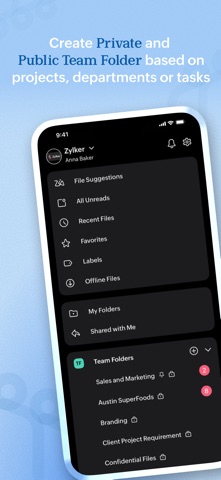
WorkDrive offers Team Folders—a shared and secure space for teams to work together. You can create Team Folders for a particular project or a department, and add all the relevant members to it. Any file added to the Team Folder will then be automatically available to each team member.
Work as a team:
Create Team Folders, add members, and assign role-based access to them. You can modify settings, monitor trash, and restore deleted files with a tap.
Roles with responsibility:
Share files and folders with anyone within your organization. Assign role-based access based on what you want members to do. You can also share WorkDrive files as email attachments.
Collaborate with external stakeholders:
Create external share links to work with people outside your organization. And you can set a password and an expiry date to the link to ensure secure file access.
Always stay updated:
Keep track of changes at the Team Folder level using the Unread section, and at the team level using global notifications.
Monitor document changes closely:
Enable notifications to see when changes are made to a specific file or a folder stored within WorkDrive. You can either choose to see the bell notification within the product, receive an update through email, or enable both.
WorkDrive supports 40 plus languages including Hindi, Tamil, Arabic, Japanese, Italian, German, Vietnamese, French, and Portuguese.
Join our WorkDrive community (https://help.zoho.com/portal/en/community/zoho-workdrive) and get complete access to product updates and the latest features. If you have any questions, please write to us at support@zohoworkdrive.com.