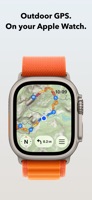
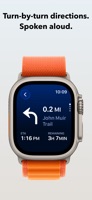
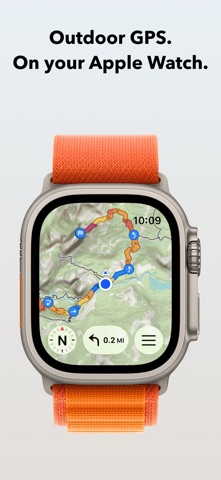
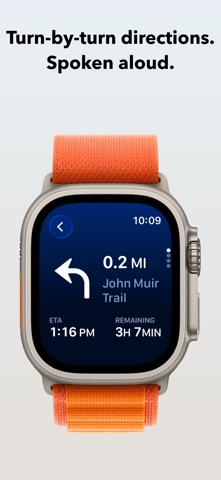
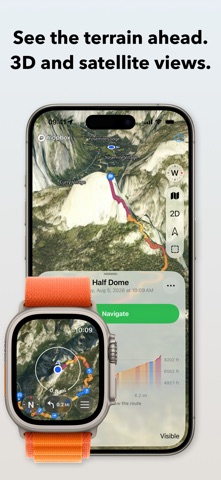
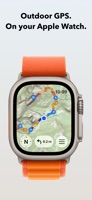
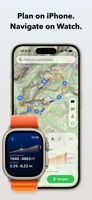
Plan a route on your iPhone and follow it on Apple Watch with spoken turn-by-turn directions and topographic maps. Record your outing along the way. The watch works without your phone, and downloaded maps keep you covered offline.
FOR EVERY ACTIVITY
WristTopo is built for hiking, running, gravel and mountain biking, skiing, and paddling: 30 activity types across foot, bike, snow, and water. It adapts to however you move.
TURN-BY-TURN NAVIGATION
See the next turn and its distance, with spoken directions and alerts on your wrist. Navigate routes planned in WristTopo or imported from GPX. Mark a hut or summit as a waypoint and get a tap and its name announced as you approach.
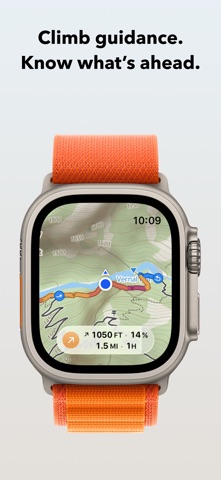
CLIMB GUIDANCE
Know what’s ahead on every climb. While you navigate, Apple Watch detects climbs and descents, with wrist taps and optional voice cues at the start and finish. Zoom into the current section on the elevation profile to see the elevation, distance, and estimated time remaining. Preview upcoming climbs and descents in Up Ahead, or view the whole route to see what’s left to the finish. At the top, check how long the climb took you.
ROUTE PLANNER
Tap the map to drop points and the route snaps to real trails, with distance and total climb updating as you add them. Close it into a loop, extend it into an out-and-back, or reverse it in a tap. Five routing modes cover running, hiking, biking, mountain biking, and straight lines for when there is no path at all. When the route is ready, one tap starts navigation on the watch without saving it first.
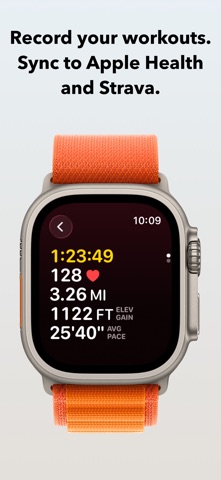
RECORD YOUR WORKOUTS
Record complete workouts directly on Apple Watch. Start, pause, and finish from your wrist, with a GPS track and live distance, pace, elevation, and heart rate. Customize metrics and workout screens for each activity. Save workouts to Apple Health and send them to Strava. You can also use Apple’s Workout app alongside WristTopo: recording and navigation work independently.
QUICK ROUTE ON YOUR WATCH
Tap a destination on the watch map and Quick Route finds a path from your location, without reaching for your iPhone.
SAVED PLACES
Mark the trailhead parking, a water source, a shelter, a campsite. Save them on the iPhone while you plan, or drop one from your wrist the moment you stand there. Places sync both ways, carry their own symbols on the map, and one tap routes you to any of them.
BACKTRACK TO YOUR START
One tap while recording turns the track you have already covered into a route home, with turn-by-turn guidance all the way to the start.
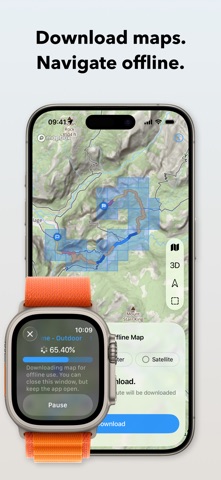
OFFLINE MAPS
Download summer, winter, or satellite maps straight to the watch. Take a whole region for general use, or grab just the area along a route in one tap. The maps show contour lines, shaded relief, and marked ski trails, and they pan and zoom smoothly on the watch.
IMPORT YOUR OWN ROUTES
Import routes and activities directly from Strava, or GPX files with waypoints on your iPhone. Follow them on Apple Watch and display several routes at once.
ICLOUD BACKUP
Routes, places, and downloaded map regions sync across your devices through iCloud, and they survive a reinstall or a new iPhone.
PRIVATE BY DESIGN
No account to create, no ads, and no tracking. Your routes and recordings stay on your device and sync only to your own iCloud.
FREE TO START
The free version covers shorter days out:
• Up to 3 saved routes
• Up to 20 saved places
• 3 small offline map regions
• Plan with up to 5 route points
• Follow routes on your Apple Watch
UNLOCK PRO
Pro adds:
• Unlimited routes and places, larger offline regions
• Voice-guided turn-by-turn navigation and climb guidance
• Workout recording with Apple Health and Strava sync
• Quick Route planning on your Apple Watch
• GPX and FIT export
• Support independent app development
Terms of Use: https://www.apple.com/legal/internet-services/itunes/dev/stdeula/
Privacy Policy: https://wristtopo.app/privacy

 +7
+7