“VSCO’s Capture app is free and offers plenty of granular controls that will even please the “pro mode” fans among us.” - Digital Trends
“The iPhone's camera goes from good to great with the just-released VSCO Capture app.” - PhoneArena
“The presets deliver incredible results straight out of camera, and I love that I can adjust the intensity in real time.” - Jaime Angel, Photographer
VSCO Capture brings together 50+ live photo filters, real-time effects, and intuitive controls to shape your vision as it comes to life. Perfect for photography enthusiasts and seasoned pros alike, VSCO Capture is designed for those who want to shoot with intention, emotion, and a distinctly personal aesthetic.
FREE CAMERA APP
VSCO Capture is made for shooting in the moment. Choose from 50+ live presets inspired by retro, contemporary, and vintage film looks. Apply real-time effects as you shoot, and easily toggle between automatic and manual settings. You can even shoot in RAW for more flexibility when editing later in the VSCO app.
LIVE CAMERA FILTERS
Shoot with over 50 preset filters that let you define your style before you press the shutter. From analog classics and black-and-white to retro film and photographer-inspired looks, each preset is designed to help you see and customize your aesthetic in the moment — no editing required.
REAL-TIME PHOTO EFFECTS
Shape light as you shoot. Add live Bloom and Halation photo effects to soften highlights, lift glow, and bring a cinematic, film-inspired character to your photos. Dial in intensity, size, and range in real time, so what you see on screen is exactly what you capture.
VIDEO WITH LIVE PRESETS
Shoot video in your style. Apply your favorite VSCO presets in real time to capture motion with the same look you trust for photos. With 50+ iconic presets, create a consistent aesthetic, frame by frame.
LIVE FILM GRAIN
Add analog texture in the moment. Apply live, film-inspired Grain to bring depth, character, and a tactile feel to your photos. Customize strength, size, and color as you shoot for an authentic aesthetic that looks and feels like the real thing.
EASY MANUAL CONTROLS
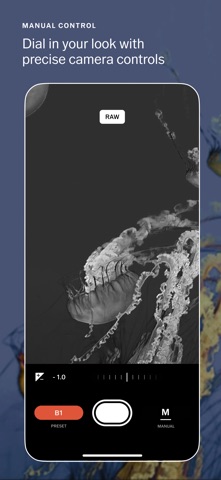
Dial in your look with intuitive manual controls. Toggle flash modes, adjust exposure, ISO, and white balance, and change your shutter speed with a UI that’s made for in-the-moment shooting. Easily capture long exposures with blur or recreate the look of a disposable camera with a pop of flash. Whether you're going full manual or letting auto do the work, you control your unique aesthetic.
EDIT SEAMLESSLY
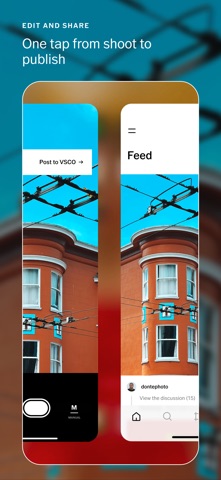
Shoot first, edit later. Sync your photos seamlessly with the VSCO photo and video editor where you can fine tune photos with our full suite powerful tools and 200+ presets. Access all the latest features and support every step of your process with VSCO Pro Membership.