StoreIntel
AppsTop ChartsTrendingKeywordsMy Apps
Not affiliated with Apple Inc. App Store is a trademark of Apple Inc.Top chartsSupportTermsPrivacy

Viewpoint Field View™

Trimble Inc. · Productivity · 10.0y old

Free
◆ ProTrack this app App Store

Performance · Worldwide

Est. downloads / month · WW

<5K

Below chart threshold

Est. revenue / month · WW

<$5K

Below chart threshold

Rating · WW

3.1★

7 ratings

Chart position

Rank history — US · Top Free

Apple's Top Free chart — free apps ranked by recent downloads.

Top FreeTop Grossing

Ratings count — US

7
◆ Pro1 chart locked

See the numbers behind the rankings

  • Keyword RankingsWhich App Store searches it ranks for, and where
Unlock everything

Listing

About

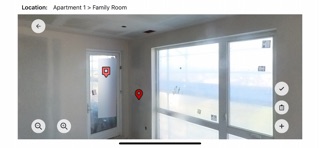
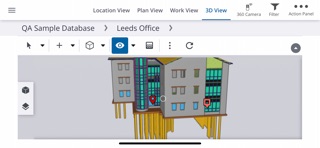
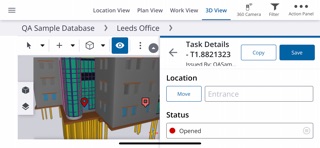
Capture, share and report all field data with a single tool Viewpoint Field View™ is a cloud based and off-line mobile forms solution that captures daily logs, punch lists, safety observations, inspections, defect management, commissioning and much more. With Field View, you can choose from a menu of pre-configured forms and/or create forms on your own that reflect your processes — essentially there is no need for IT or system administrator support. By giving field users an easy-to-use mobile application to capture their field observations from anywhere on the job site — even locations without an internet connection — they’re able to resolve issues more quickly, improve workflows, reduce risk and deliver higher quality projects. Field View benefits include: • Capture all field data • Configurable field forms • Work offline • Team collaboration • Advanced process management • Project location set up • Automate drawings and locations

Released
Sep 29, 2016
Category
Productivity
Content rating
4+
Price
Free
In-app purchases
No
Developer site
viewpoint.com ↗
WWUSGBDEJPINBR

No chart data

No rank history yet for this selection.

→

Screenshots

8
Viewpoint Field View™ screenshot 1Viewpoint Field View™ screenshot 2Viewpoint Field View™ screenshot 3Viewpoint Field View™ screenshot 4Viewpoint Field View™ screenshot 5Viewpoint Field View™ screenshot 6Viewpoint Field View™ screenshot 7Viewpoint Field View™ screenshot 8