Enhance your device storage efficiently with our Video Compressor - Resize It app, which is the ideal tool for anyone looking to optimize, compress, and convert videos without sacrificing quality.
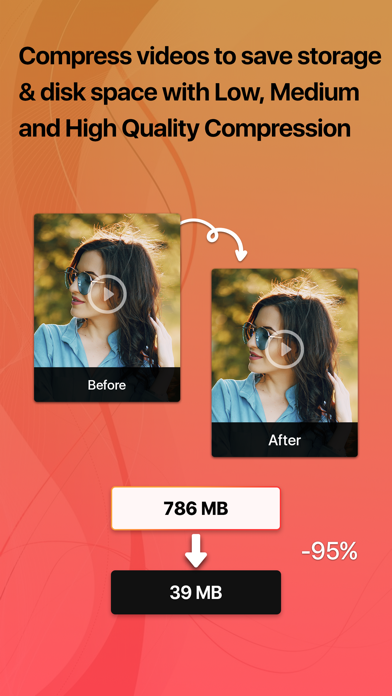
This Video Compressor app efficiently reduces video file sizes, enabling you to store more videos and free up valuable space. With its advanced compression features, you can resize videos while maintaining maximum original quality to optimize, compress, edit, and share with confidence.
Key Features:
• Choose between low, medium, and high-quality compression when saving even more space.
• Save your compressed videos directly to your Photos library.
• Shrink video size with customizable frame rate, & bitrate in different formats MOV, MP4, AVI, etc.
• Merge and join video clips together to create the perfect story.
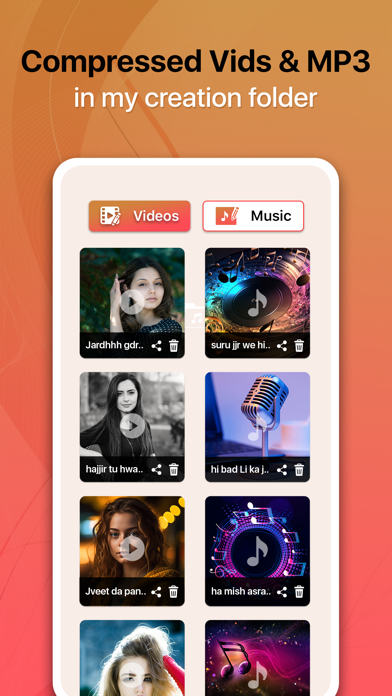
• Extract audio from a video or convert any video to MP3 format by easily trimming the section you want to convert.
• Combine multiple clips into one video to easily save & share.
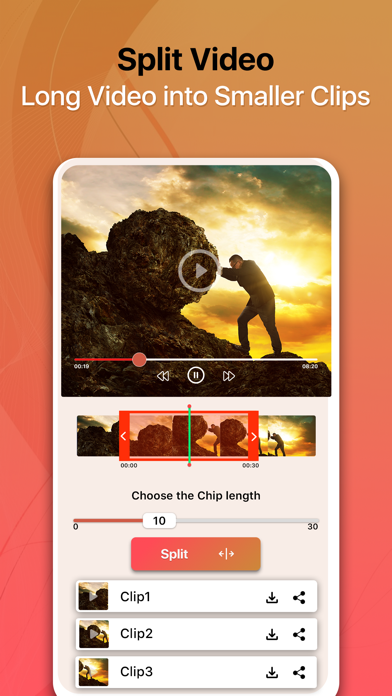
• Split specific parts of the video and save the divided segments.
Why choose our Video Compressor - Resize It app?
Enjoy the perfect balance of quality & convenience, and never let storage limitations hold you back from capturing the best moments with the following functions.
► Video Conversion:
Convert videos to different formats with a few taps, which is ideal for sharing on various platforms.
► User-Friendly Interface:
The simple interface makes it easy for anyone to understand and compress/convert videos with a few taps.
► Privacy & Security:
All processing is done only on your device, ensuring that your data never leaves your control.
► Optimized Performance:
The video compressor is optimized to deliver the best performance for your device.
Enjoy compressing your large video files from GBs to MBs, save your disk storage with this video compressor tool & share your precious reviews to improve this media compressor.
You can download the app today and enjoy the freedom of extra storage, good video quality, and efficient video processing.
We offer you the following auto-renewable subscriptions & lifetime purchase:
Premium Version: Unlock all Premium Features & Remove Ads
Monthly fee : $5.99
Yearly fee : $12.99
Lifetime fee : $19.99
The price of Video Compressor - Resize it app is for United States customers. Prices in other countries may differ and actual charges may be converted to local currency depending on your country.
On confirmation of purchase the payment of subscription will be charged to iTunes Account. Normally Subscription automatically renews unless auto-renew is turned off at least 24-hours before the end of the current period. Account will be charged for renewal within 24-hours prior to the end of the current period and identify the cost of the renewal. Subscriptions may be managed by the user and auto-renewal may be turned off by going to the user's Account Settings after purchase.
Privacy Policy: https://bit.ly/3oi9FUI
Terms of Use: https://bit.ly/35J7kvl