Looking for a to-do list, task manager, daily planner, or reminder app?
This all-in-one to-do list and task manager helps you organise tasks, plan your schedule, set reminders, and boost productivity.
Use this simple and powerful to-do list app to manage daily tasks, track your schedule, and stay organised at work, school, or home.
Reason’s to Choose To-Do List App
1. Easy To-Do List & Task Manager
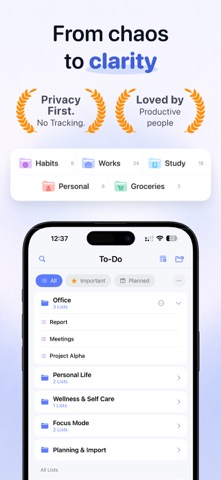
Create a to-do list, manage tasks, and organize your daily planner.
This task manager and checklist app helps you track tasks, manage schedules, and stay productive.
Quickly add tasks, create lists, and manage your to-do list in seconds.
2. Reminders & Daily Planner
Set reminders for tasks, deadlines, and important events.
This reminder app supports recurring reminders, daily planner schedules, and habit tracking.
Never miss a task with smart reminders and alarm notifications.
3. Organise Tasks with Categories
Create task lists for work, personal, study, shopping, and more.
Organise your to-do list with categories, subtasks, priorities, and checklists.
Manage multiple task lists and keep your daily planner structured.
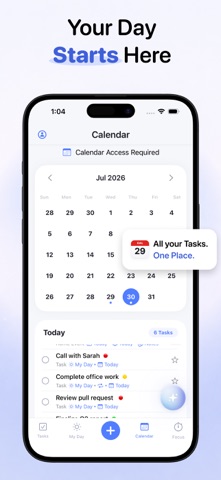
4. Calendar & Schedule Planner
View your tasks in a calendar view and schedule planner.
Plan daily tasks, weekly schedules, and monthly planner events بسهولة.
Track your to-do list and task manager schedule in one place.
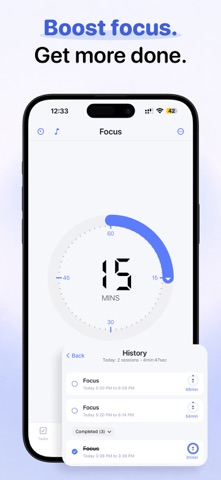
5. Productivity & Task Tracking
Track completed tasks and monitor productivity.
Use this productivity app and task tracker to build better habits and improve time management.
Stay focused and get more done with a powerful to-do list manager.
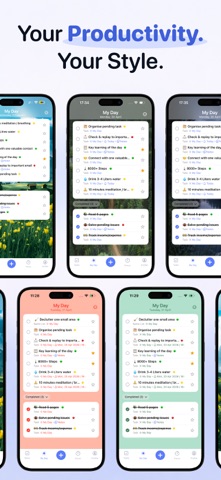
6. Customisation & Themes
Personalise your to-do list app with themes and dark mode.
Customise your task manager and daily planner for a better experience.
7. Sync & Backup
Sync your to-do list, task manager, and daily planner across devices.
Back up your tasks and access your to-do list anytime, anywhere.
This to-do list, task manager, daily planner, reminder app, and productivity tracker helps you manage tasks, organise schedules, and plan your day.
TickList is Perfect for -
- To-do list and checklist management
- Task manager and productivity tracking
- Daily planner and schedule planner
- Reminder app and habit tracker
Download this to-do list and task manager now to organise your tasks, manage your schedule, and improve productivity.
This is a free productivity application, and most of its features are free. Additional features, including advanced tasks repetition settings, themes, ringtones, etc., can be unlocked through the "To-Do List" premium membership.
If you have any questions or want feedback, contact us:
Support Email: contact.swiftybrains@gmail.com
Privacy Policy: https://swiftybrains.com/privacy-policy/
Terms of use: https://swiftybrains.com/terms-of-use/