StoreIntel
AppsTop ChartsTrendingKeywordsMy Apps
Not affiliated with Apple Inc. App Store is a trademark of Apple Inc.Top chartsSupportTermsPrivacy

TimeWorksPlus

Swipeclock LLC · Business · 12.7y old

Free
◆ ProTrack this app App Store

Performance · Worldwide

Est. downloads / month · WW

<5K

Below chart threshold

Est. revenue / month · WW

<$5K

Below chart threshold

Rating · WW

2.4★

101 ratings

Chart position

Rank history — US · Top Grossing

Apple's Top Grossing chart — all apps ranked by revenue (purchases + subscriptions).

Top FreeTop Grossing

Ratings count — US

101
◆ Pro1 chart locked

See the numbers behind the rankings

  • Keyword RankingsWhich App Store searches it ranks for, and where
Unlock everything

Listing

About

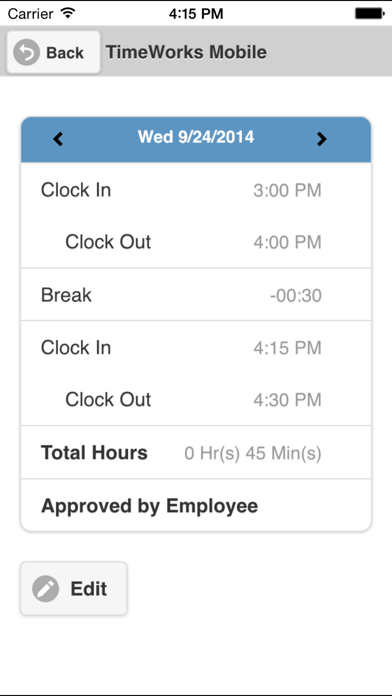
TimeWorksPlus mobile app is a timekeeping solution that simplifies how employers and employees track hours on-the-go. Whether it’s employees punching in or supervisors reviewing and approving time-off requests, this is your mobile workforce companion. This app is for companies who track time with TimeWorksPlus. Use your existing TimeWorksPlus credentials to login. For Employees: • Clock In/Out • View pay period details • View announcements • Change department/location/job, etc. (if enabled) • View time-off balances (if enabled) • Submit time-off requests (if enabled) • View schedule (if enabled) For Supervisors: • View who is In • Simultaneously Clock In/Out multiple employees • Quickly call or email employees • View basic employee information • Capture and view location information for employee mobile punches (if enabled) • View/approve/deny pending time-off requests (if enabled) • View list of employees with approved time off (if enabled) For support please contact your timekeeping service provider.

Released
Feb 18, 2014
Category
Business
Content rating
4+
Price
Free
In-app purchases
No
Developer site
www3.swipeclock.com ↗
WWUSGBDEJPINBR

No chart data

No rank history yet for this selection.

→

Screenshots

5
TimeWorksPlus screenshot 1TimeWorksPlus screenshot 2TimeWorksPlus screenshot 3TimeWorksPlus screenshot 4TimeWorksPlus screenshot 5