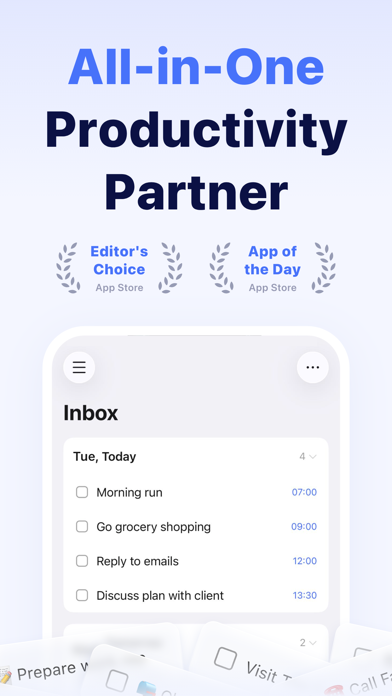
TickTick is a powerful to-do & task management app with seamless cloud synchronization across all your devices. Whether you need to schedule an agenda, make memos, share shopping lists, collaborate in a team, or even develop a new habit, set countdown for birthdays, TickTick is always here to help you get stuff done and keep life on track.
Key features of TickTick:
• Sync tasks across all devices
• Multiple reminders
• Flexible calendar views
• Integrate with calendar application
• Set flexible recurring tasks
• Create checklists
• Share task lists for collaboration
• Add task via email
• Upload attachments to tasks
• Classify tasks with tags
• Keep track of birthdays, anniversaries with countdown
More functions to help you get focused and boost productivity:
• Use Siri to create tasks faster and easier
• Enable Pomo Timer to stay concentrated
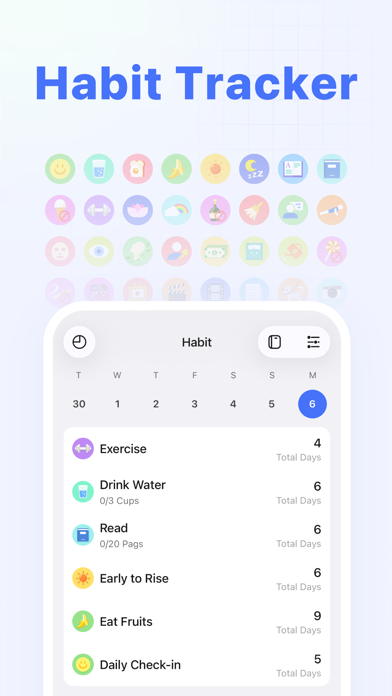
• Set a Goal to develop a Habit
• Instant time & location reminder
• Four priority levels
• Different sort options (by order/date/name/priority)
• Add description/comments to tasks
• Batch edit tasks
• Quick search tasks
TickTick is always free, while you could also upgrade to Premium account to enjoy full access to the most advanced features.
• More lists and tasks: 299 lists, 999 tasks in each list, 199 subtasks in each task
• Add up to 5 reminders to each task
• Share a task list to up to 29 members for better collaboration
• Upload up to 99 attachments every day
• Subscribe calendars in TickTick
• Grid view of calendar
• Custom Smart List
• Add more than 5 habits
• Add more than 5 countdowns
How TickTick makes you more productive?
• Get all things done
• Never miss a schedule
• Collaborate more efficiently
• Sync across multiple platforms
• Save efforts for stuff that really matters
About billing of Premium:
Auto-Renewable subscription payment will be charged to your iTunes account as soon as purchase is confirmed. Any unused portion of Premium period you upgraded via other platforms will be forfeited at the same time. Your subscription will get auto renewed unless cancelled at least 24 hours before the end of the current period. Please feel free to manage or cancel the auto-renew subscription at any time from the account settings on iTunes after purchase.
TickTick has integrated HealthKit, you can sync your focus time data to Apple Health.
Our Privacy Policy: https://www.ticktick.com/about/privacy
Our Terms of Use: https://www.ticktick.com/about/tos
For questions, feedback, or tips, we're happy to help you at support@ticktick.com
Connect with us:
Twitter: @ticktick
Instagram: @ticktickapp
Facebook: @TickTickApp
Reddit: r/ticktick