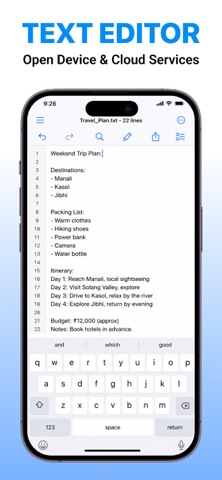
This is a simple but Powerful Text Editor that allow you to Browse and edit any kind of text on your device.
Text Editor & HTML Viewer is a powerful and versatile text and code editor for iPhone and iPad. Easily browse, view, create, and edit text files stored on your device, in the cloud, or on remote servers. With support for syntax highlighting in 50+ programming and markup languages, it's ideal for both everyday text editing and software development.
FEATURES:
—————
◆ Browse and edit text files on your device, cloud storage, and remote servers
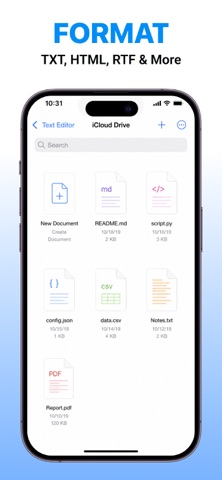
◆ Supports TXT, RTF, HTML, CSS, JavaScript, JSON, XML, Markdown, PHP, Python, C/C++, Java, SQL, YAML, Shell scripts, and many other text-based file formats.
◆ Rich Text editing
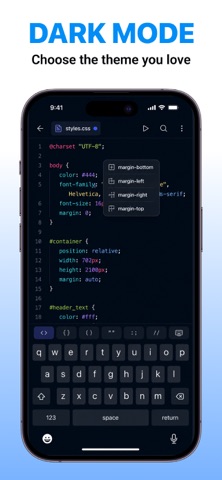
◆ Dark Mode support
◆ Share your files anywhere
◆ Customize tab width, soft tabs, and editor appearance
◆ Dark Mode support
◆ Share your files anywhere
FAQ
______
Q: What files can I edit?
A: TXT, RTF, HTML, CSS, JS, JSON, XML, Markdown, PHP, Python, Java, C/C++, SQL, YAML, and many more.
Q: Does the app support HTML?
A: Yes. You can edit and preview HTML files.
Q: Can I connect to cloud storage?
A: Yes. Supports iCloud Drive, Dropbox, and WebDAV.
Q: Does it support syntax highlighting?
A: Yes. Supports 80+ programming and markup languages.
Q: Can I open multiple files?
A: Yes. Multiple tabs are supported.
Q: Can I preview Markdown files?
A: Yes. HTML and Markdown preview are both supported.
Q: Does it support Rich Text editing?
A: Yes. You can create and edit RTF documents.
Q: Does it support Dark Mode?
A: Yes. Full Dark Mode support is included.
Q: Can I use the app offline?
A: Yes. Local files can be edited without an internet connection.
Q: Can I share my files?
A: Yes. Easily share files using the iOS Share Sheet.
Privacy Policy: https://sponge-tugboat-107.notion.site/TextEditor-HTML-Code-Editor-Privacy-Policy-395ca28ad21180f5af70d69cc9903181
Terms of Use: https://sponge-tugboat-107.notion.site/TextEditor-HTML-Code-Editor-Terms-of-Use-395ca28ad21180d6a259ca63aa5fc7f8