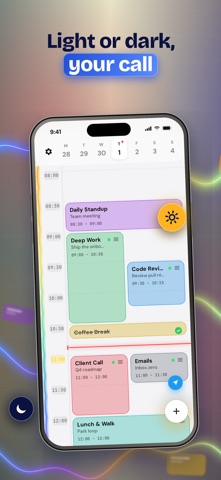
TaskCard turns your day into a visual time grid. Block out your hours, drag a card to a new time, and get reminded the moment a block starts.
PLAN BY TIME, NOT BY LIST
Add a task with a start time and a duration and it becomes a block on a 24-hour grid. The current time line is always visible, so you can see what is now and what is next at a glance.
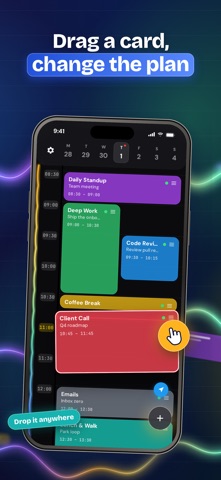
DRAG TO RESCHEDULE
Plans change. Drag a card to a new hour, pull its edge to make it longer or shorter, and the rest of the day stays readable. Tasks that run past midnight stay visible on both days.
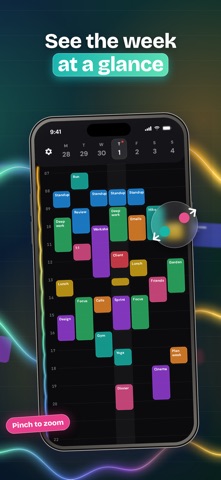
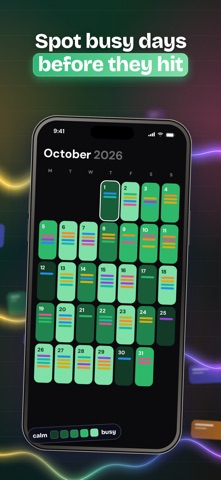
SEE THE WEEK, MONTH AND YEAR
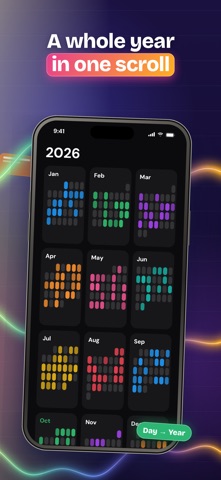
Pinch the grid to zoom out to a week, then a month, then a year, and pinch back in to the day. Every level is anchored on the day under your fingers, so you never lose your place.
MAKE THE CARDS YOURS
Pick colors, gradients, fonts, patterns, icons and emoji for every card. Start from a preset library with ready-made tasks for work, study, fitness, home and daily routines.
REMINDERS AND ALARMS
Get a notification when a block starts or when time is up, plus an optional alarm for the blocks you cannot miss. A Live Activity keeps the countdown on your Lock Screen and Dynamic Island.
REPEAT AND PRIORITIZE
Repeat daily, on weekdays, weekly, or on your own pattern. Set a priority from low to urgent and spot what matters by color.
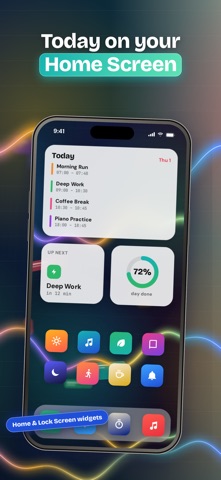
WIDGETS AND SYNC
Put today's schedule on your Home Screen and Lock Screen. With TaskCard Pro your plan syncs across iPhone and iPad over iCloud, and analytics show how much of each day you actually finish.
BUILT TO STAY OUT OF THE WAY
One main screen, no setup, no clutter. Create, complete, move, or delete from the same view.
TaskCard is for anyone who thinks in time blocks: people protecting deep work, students planning study sessions, and anyone with ADHD who needs the day laid out visually instead of as an endless list.
Privacy Policy: https://apps.cihat.dev/taskcard/privacy-policy/
Terms of Use: https://www.apple.com/legal/internet-services/itunes/dev/stdeula/