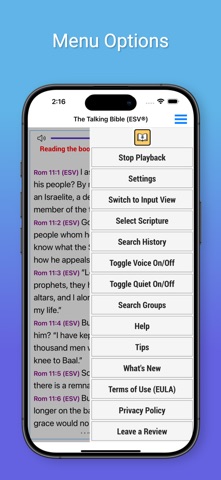
Finally an Interactive Bible App that uses Speech Recognization to allow the visually impaired to ask the app to read Bible Passages and to search the Bible for topics of interest.
Welcome to The Interactive Talking Bible
"The Talking Bible" is specifically designed for the visually impaired. You speak the desired scripture and "The Talking Bible" reads them back to the you!.
Usage:
Just Tap on the screen and The Talking Bible will listen for your command.
The commands will allow you to:
1. Read any scripture
2. Search the Bible
3. Repeat your last command:
4. Change the Bible Translation
5. Stop Continuous listening
6. Stop Voice Playback
7. Read the help file
8. Pause or Stop Reading
To Read any Scriptures:
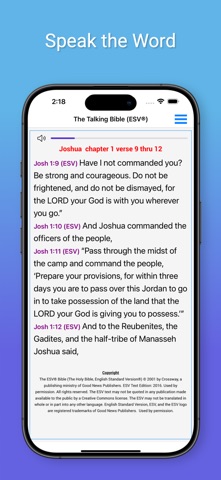
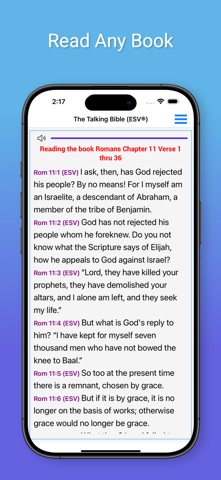
Just Tap on the screen and say 'John Chapter 3 verse 16' and it will be read to you.
To Search the Bible:
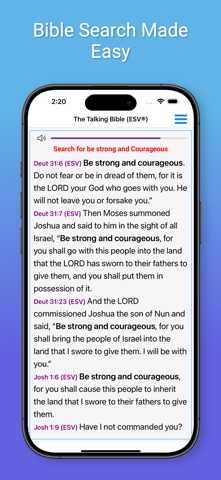
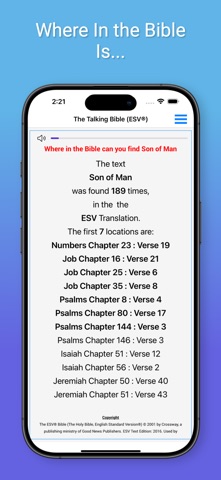
Just Tap on the screen and say 'Search for Love' and all of the scriptures in the Bible containing the word 'Love' will be read to you.
To Search just in a book of the Bible:
Just Tap on the screen and say: 'Search for Love in the book of John' and all of the scriptures in the book of John containing the word 'Love' will be read to you.
You can also search:
The New Testament
The Old Testament
The Gospels
The Torah
To Repeat your last command:
Just Tap on the screen and say 'Repeat' And your last command will be repeated!
Bible Translations:
The English Standard Version (ESV®) and the King James Version (KJV) are available. To switch translations: Just Tap on the screen say: 'Use ESV' for the English Standard Version® or 'Use KJV' for the King James Version
Stop Voice Playback
You can turn off the Voice playback that reads the scriptures and responds by just Tap on the screen and sayingVoice Off. When operating with 'Voice Off' The Talking Bible will operate the same as when Voice is On. To turn the Voice playback on, just Tap on the screen and say 'Voice On'.
Read the help file:
To have the detailed operating instruction read to you, just Tap on the screen and say ‘Help’ and the detailed instructions for using this app will be read to you.
Pause or Stop Reading:
To Pause a scripture that is being read to you, Press on the screen to pause the scripture reading.
To Continue, Press on the screen again.
Lastly, To Stop the reading, 'Swipe your finger to the right' to Stop the scripture reading.