StoreIntel
AppsTop ChartsTrendingKeywordsMy Apps
Not affiliated with Apple Inc. App Store is a trademark of Apple Inc.Top chartsSupportTermsPrivacy

Stand Clock Display

Vladislav Kovalyov · Utilities · 7.1y old

Free
◆ ProTrack this app App Store

Performance · Worldwide

Est. downloads / month · WW

<5K

Below chart threshold

Est. revenue / month · WW

<$5K

Below chart threshold

Rating · WW

4.5★

145 ratings

Chart position

Rank history — US · Top Free

Apple's Top Free chart — free apps ranked by recent downloads.

Top FreeTop Grossing

Ratings count — US

145
◆ Pro1 chart locked

See the numbers behind the rankings

  • Keyword RankingsWhich App Store searches it ranks for, and where
Unlock everything →

Listing

About

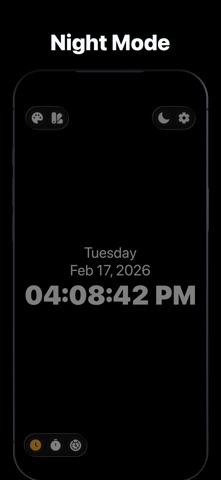
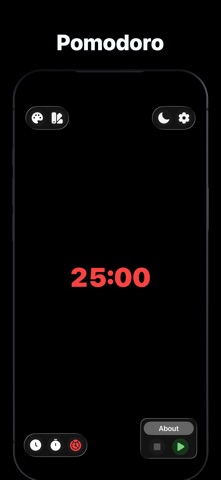
Turn your iPhone or iPad into a stylish stand clock and always-on desk display.Simple. Clean. Convenient. Stand Clock Display is perfect as a desk clock, night clock, bedside clock, or standby display - at home, in the office, or during work sessions. ALWAYS ON DISPLAY Keep the screen always on, even if your device supports auto-dimming. Quickly adjust brightness to maximum or minimum for comfortable use day or night. CLOCK Use your iPhone or iPad as a standby desk clock or night clock with a clean, minimal design. TIMER* Set countdown timers up to 24 hours - perfect for work, cooking, studying, or daily routines. POMODORO* Boost productivity with the Pomodoro Technique: - 25 minutes of focus. - 5 or 10 minutes of break. CUSTOMIZATION* Personalize your clock: - Change colors. - Choose time format. - Show or hide the date.Instantly adjust brightness. * - Upgrade to Pro Version in order to unlock all advanced features.

Released
Sep 15, 2019
Category
Utilities
Content rating
4+
Price
Free
In-app purchases
No
Developer site
woopss.com ↗
WWUSGBDEJPINBR

No chart data

No rank history yet for this selection.

Screenshots

8
Stand Clock Display screenshot 1Stand Clock Display screenshot 2Stand Clock Display screenshot 3Stand Clock Display screenshot 4Stand Clock Display screenshot 5Stand Clock Display screenshot 6Stand Clock Display screenshot 7Stand Clock Display screenshot 8