StoreIntel
AppsTop ChartsTrendingKeywordsMy Apps
Not affiliated with Apple Inc. App Store is a trademark of Apple Inc.Top chartsSupportTermsPrivacy

Smart Printer app & Scan PDF

Shahid Jamal · Utilities · 8mo old

Free
◆ ProTrack this app App Store

Performance · Worldwide

Est. downloads / month · WW

<5K

Below chart threshold

Est. revenue / month · WW

<$5K

Below chart threshold

Rating · WW

5.0★

4 ratings

Chart position

Rank history — US · Top Free

Apple's Top Free chart — free apps ranked by recent downloads.

Top FreeTop Grossing

Ratings count — US

4
◆ Pro1 chart locked

See the numbers behind the rankings

  • Keyword RankingsWhich App Store searches it ranks for, and where
Unlock everything →

Listing

About

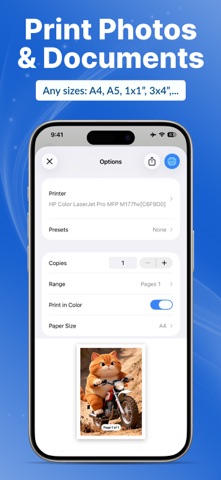
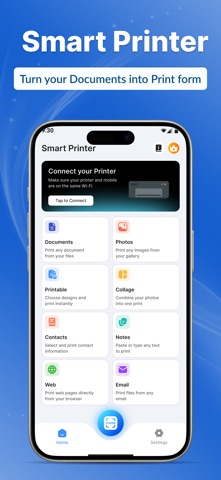
Smart Printer APP: Scan PDF helps you print photos, documents, and PDFs directly from your iPhone. The app is designed for users who want fast and easy printing without complicated setup. You can print files with just one tap, making it ideal for home, office, and study use. It also allows you to scan documents and save them digitally for later use. Key Features • Print photos directly from your gallery • Print documents, emails, and PDF files • Scan documents using your iPhone camera (premium) • Wireless printing with AirPrint support • Simple and easy-to-use interface • Suitable for home, office, and students Smart Printer APP: Tap & Print works with AirPrint-compatible printers and provides a smooth printing experience without cables or drivers. Premium Features: Scan Document One Document Print is free rest are paid Remove Ads on Premium App Printable Printing Make Collage from pictures Terms of Use: https://appsstyle.net/Terms-Conditions/ Privacy Policy: https://appsstyle.net/privacy-policy/
Released
Feb 12, 2026
Category
Utilities
Content rating
17+
Price
Free
In-app purchases
No
Developer site
appsstyle.net ↗
WWUSGBDEJPINBR

No chart data

No rank history yet for this selection.

Screenshots

3
Smart Printer app & Scan PDF screenshot 1Smart Printer app & Scan PDF screenshot 2Smart Printer app & Scan PDF screenshot 3