Screenshot Bro is a screenshot maker and editor built specifically for App Store screenshots. Create reusable templates, design complete screenshot sets, localize your message, and export or upload polished store creatives.
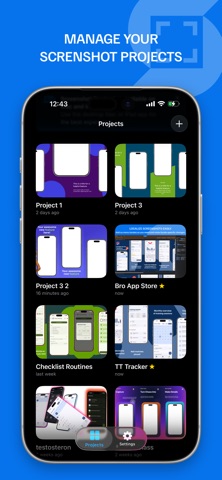
Unlike generic design tools, Screenshot Bro understands device-specific rows, localization, App Store Connect uploads, batch exports, and reusable projects.
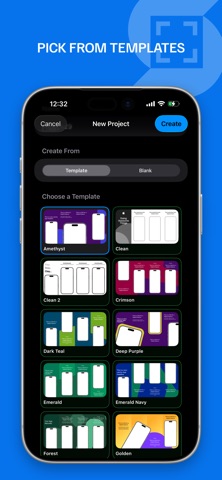
Build complete screenshot sets for iPhone, iPad, Mac, Android phones, Android tablets, and Pixel layouts. Start from a template or create your own layout system. Drop in screenshots, add device frames or frameless compositions, write headlines and captions, style rich text with custom fonts, and fine-tune every detail on the canvas.
Keep release variants, locale-specific overrides, store-specific row plans, and export-ready assets in one project for the App Store, websites, social media, and launch campaigns.
Key features:
- Create App Store screenshots from one project
- Use built-in templates or custom layouts for recurring launches
- Design multi-shot rows, comparison layouts, and full campaigns
- Batch-import screenshots into rows and replace images quickly
- Add device frames for iPhone, iPad, Mac, Android, Pixel, and abstract layouts
- Work with text, shapes, images, gradients, tiled backgrounds, and SVG graphics
- Edit rich text with custom fonts, font variants, spacing, alignment, and sizing controls
- Adjust placement, snapping, layering, cropping, and rotation directly on the canvas
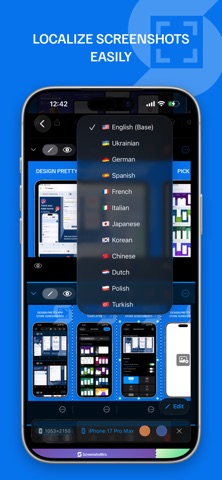
- Manage locale-specific text and image overrides for each market
- Use locale presets, auto-translate missing text, and track translation progress
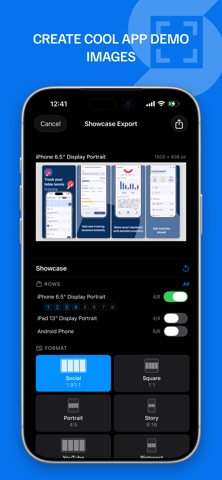
- Export PNG or JPEG screenshots into folders by locale and row
- Create showcase exports for social posts, websites, and campaign previews
- Upload screenshots directly to App Store Connect
- Review and edit App Store Connect metadata before upload
- Get completion notifications for exports and store uploads
- Keep projects local by default, sync with iCloud when enabled, and create ZIP backups
- No tracking
Screenshot Bro is made for indie developers, product teams, designers, and marketers who need more control than a basic screenshot generator and a faster workflow than rebuilding every app marketing image by hand.
Whether you are preparing a first launch, major update, seasonal campaign, or localization rollout, Screenshot Bro helps you move from raw screenshots to store-ready marketing images faster and with more consistency.
If you need an App Store screenshot creator, screenshot template builder, screenshot localization tool, or an App Store Connect uploader, Screenshot Bro keeps the whole workflow in one focused app.
Terms of Use (EULA): https://www.apple.com/legal/internet-services/itunes/dev/stdeula/