StoreIntel
AppsTop ChartsTrendingKeywordsMy Apps
Not affiliated with Apple Inc. App Store is a trademark of Apple Inc.Top chartsSupportTermsPrivacy

Scanner App: Scan to PDF & OCR

Appers Limited · Utilities · 3.1y old

Free
◆ ProTrack this app App Store

Performance · Worldwide

Est. downloads / month · WW

<5K

Below chart threshold

Est. revenue / month · WW

<$5K

Below chart threshold

Rating · WW

4.6★

24 ratings

Chart position

Rank history — US · Top Grossing

Apple's Top Grossing chart — all apps ranked by revenue (purchases + subscriptions).

Top FreeTop Grossing

Ratings count — US

24
◆ Pro1 chart locked

See the numbers behind the rankings

  • Keyword RankingsWhich App Store searches it ranks for, and where
Unlock everything

Listing

About

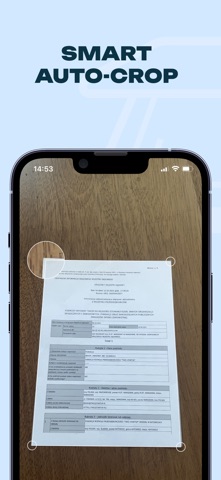
Turn your iPhone and iPad into a powerful mobile scanner! Capture documents, receipts, business cards, and notes in PDF or JPG format. Effortlessly scan QR codes and barcodes. Extract editable text with advanced OCR and boost efficiency using multiple-page batch scanning. Enhance your scans with built-in editing tools—crop, adjust brightness and contrast, and annotate—then seamlessly save and share via Google Drive, Dropbox, or OneDrive. Key Features • High-Quality Scanning: Capture documents, receipts, business cards, and notes • QR & Barcode: Quickly scan and decode on the go • OCR Text Recognition: Convert images to editable text instantly • Batch Scanning: Scan multiple pages in one go • Editing Tools: Crop, adjust brightness, contrast, and annotate • Cloud Sharing: Save scans to iCloud, Google Drive, Dropbox, or OneDrive • User-Friendly: Optimized for effortless scanning on iOS Download the Scanner App now and experience the future of mobile scanning! Terms of Use: https://www.apple.com/legal/internet-services/itunes/dev/stdeula/

Released
Sep 15, 2023
Category
Utilities
Content rating
4+
Price
Free
In-app purchases
No
WWUSGBDEJPINBR

No chart data

No rank history yet for this selection.

→

Screenshots

4
Scanner App: Scan to PDF & OCR screenshot 1Scanner App: Scan to PDF & OCR screenshot 2Scanner App: Scan to PDF & OCR screenshot 3Scanner App: Scan to PDF & OCR screenshot 4