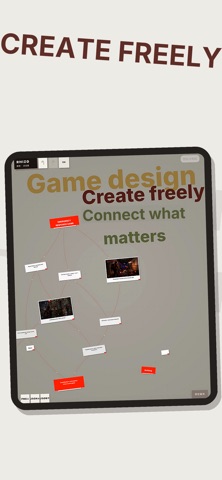
Rhizo is a calm, tactile space for ideas that are still taking shape.
Write a thought. Move it where it belongs. Connect it to whatever it changes.
No rigid templates. No forced hierarchy. Just a simple canvas that helps you see what you are thinking.
In a few minutes, you can turn scattered thoughts into a working structure you can return to, expand, and act on.
Every interaction is designed to stay out of the way:
• Press to create a new block
• Drag ideas into place
• Double-tap to write
• Connect related thoughts directly on the canvas
• Add text and images when an idea needs more context
The result is a clearer workspace with less mental overhead.
Instead of keeping open questions, references, decisions, and next steps in your head, keep them visible on the canvas. That means fewer context switches and less time reconstructing what you meant.
Rhizo is built for relationships that do not fit neatly into a tree:
• One idea can connect to multiple parent ideas
• Several ideas can share the same child
• Cross-connections stay visible
• Your structure remains a flexible network
Most mind-mapping tools are designed to produce a finished diagram. Rhizo is designed for thinking while the idea is still changing.
The canvas moves with you. Gentle motion and responsive feedback make each action feel direct without distracting you from the work.
When your structure is ready, export it as editable JSON with stable IDs, text, positions, and relationships.
Open the file in the AI assistant you already use. Ask it to expand, reorganize, summarize, or challenge your thinking. Then import the updated JSON back into Rhizo without flattening the structure.
Your AI workflow stays connected to the original board.
Use Rhizo for:
• Game design
• Product planning
• Study notes
• Research
• Writing
• Project breakdowns
• Brainstorming
• Visual thinking
Start with one question:
“What are you working on?”
Then keep building from there.
Your content stays on your device. Rhizo supports iPhone, iPad