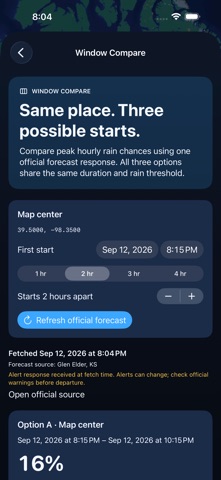
Window Compare places three possible start times side by side using the same official hourly forecast. See the highest hourly rain probability, coverage and alert availability before choosing a plan.
HOW TO USE THE UPGRADE
1. Select a location and open Rain Window → Compare windows.
2. Choose the duration and start-time spacing. Review all three windows from the same NWS forecast snapshot.
3. Inspect coverage and timestamps. A lower-peak candidate is identified only when all three windows have complete, fresh data.
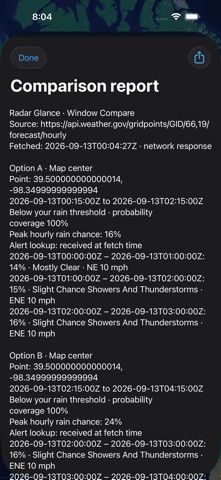
4. Freeze and share a report with source, time, hourly evidence and availability limits.
Animated radar, saved locations, Rain Window, timeline controls, map tools and the offline field guide remain available.
WHAT TO KNOW
Official hourly comparisons cover supported US locations and need network access. The highest hourly precipitation probability is not a combined probability for the outing. Missing, partial, stale or future-dated data prevents a preferred-window result. Ties remain ties. An unavailable alert response is not no alerts. Radar observations apply to near-now windows only, and provider data may be delayed or unavailable.
iPhone and iPad. No account required.