StoreIntel
AppsTop ChartsTrendingKeywordsMy Apps
Not affiliated with Apple Inc. App Store is a trademark of Apple Inc.Top chartsSupportTermsPrivacy

QR Code Scanner: Photo Scan

Nguyen Duoc · Utilities · 4mo old

Free
◆ ProTrack this app App Store

Performance · Worldwide

Est. downloads / month · WW

<5K

Below chart threshold

Est. revenue / month · WW

<$5K

Below chart threshold

Rating · WW

3.9★

9 ratings

Chart position

Rank history — US · Top Free

Apple's Top Free chart — free apps ranked by recent downloads.

Top FreeTop Grossing

Ratings count — US

9
◆ Pro1 chart locked

See the numbers behind the rankings

  • Keyword RankingsWhich App Store searches it ranks for, and where
Unlock everything

ASO moves

Metadata timeline

Name, subtitle, icon, screenshot and in-app price changes we’ve seen — what this developer is testing.

  1. Sep 30, 2026Name
    QR Code Scanner For iPhone * → QR Code Scanner: Photo Scan

Listing

About

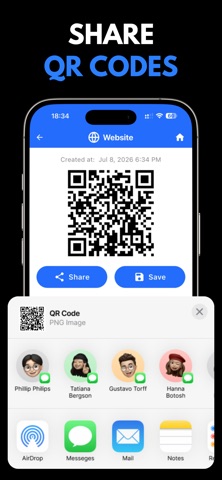
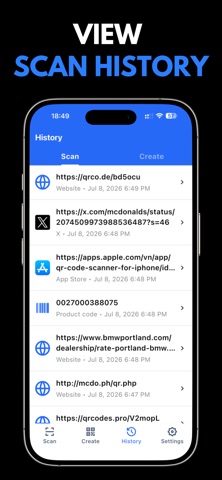
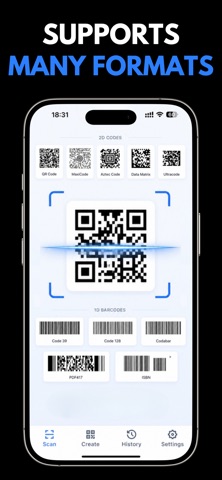
QR codes are not always in front of the camera. When a code is inside a screenshot, message or saved photo, choose the image and read it on the same iPhone. SCAN FROM A PHOTO OR CAMERA • Read QR codes and barcodes • Scan screenshots and photo-library images • Detect multiple codes in one image • Use the torch and zoom when needed CREATE AND SHARE Generate QR codes for websites, Wi-Fi, text, contacts, phone numbers or email. Save each code as an image or share it in seconds. KEEP IMPORTANT RESULTS Find previous scans quickly in history. One practical app for camera scanning, photo scanning, QR creation and result management. Privacy Policy: https://duocnguyen.dev/privacy-policy Terms of Use (EULA): https://www.apple.com/legal/internet-services/itunes/dev/stdeula/

Released
Jun 2, 2026
Category
Utilities
Content rating
4+
Price
Free
In-app purchases
No
Developer site
duocnguyen.dev ↗
WWUSGBDEJPINBR

No chart data

No rank history yet for this selection.

→

Screenshots

7
QR Code Scanner: Photo Scan screenshot 1QR Code Scanner: Photo Scan screenshot 2QR Code Scanner: Photo Scan screenshot 3QR Code Scanner: Photo Scan screenshot 4QR Code Scanner: Photo Scan screenshot 5QR Code Scanner: Photo Scan screenshot 6QR Code Scanner: Photo Scan screenshot 7