View demo videos on the app's website at http://goo.gl/ZRC8gt
This app was created for physicians, residents, medical students, and other students in the healthcare fields to keep track of and document procedures performed. The app is highly customizable and useful in all medical specialties.
Entries are securely kept in your iOS device and are not sent to any outside server, website or database. Reports are created and saved as a password protected PDF file (encrypted using AES-128) and a CSV (comma-separated values) file that is compressed to a ZIP file (which allows password protection and is encrypted using AES-256) to comply with HIPAA security requirements. The reports can then be emailed, accessed via iTunes and the Files app, sent using AirDrop, or copied to your iCloud Drive or DropBox. CSV files can be imported into a spreadsheet program.
One should not rely on this app alone to keep track of their procedures and is advised to frequently backup the files created. Information on backing up and restoring your data is included in the app's Help/Instructions view.
FEATURES
• Keep a log of the procedures you have performed, assisted in, were 2nd assist in, observed, supervised, and/or interpreted for documentation purposes.
• Document the patient's name, ID number, age, date performed, location, supervisor, diagnosis, complications and additional notes with the procedures performed. Also, one can take a photo with your device's camera or import a photo from your photos library from within the app, and include the photo in a record.
• Option to select one or multiple diagnoses from a list of either custom diagnoses or ICD-10 diagnoses for any given procedure.
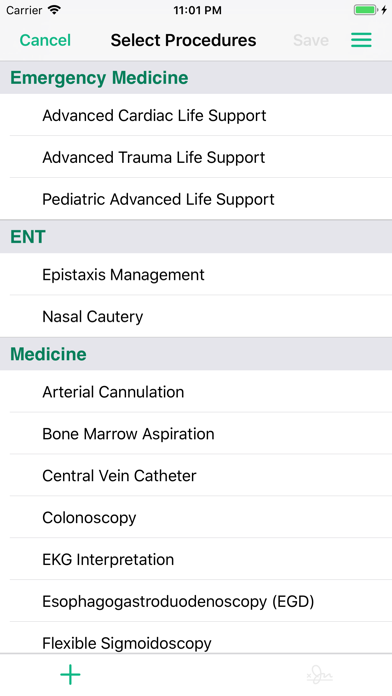
• Select multiple procedures performed on a single patient.
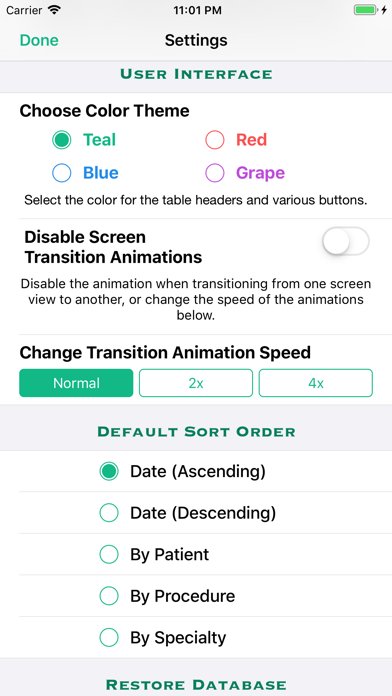
• Sort by date (ascending or descending), patient name, procedure name, medical specialty, and location/facility.
• Capture supervisor's signature to attest that you performed or assisted in the procedure(s) and include the signature images in your reports. Either obtain the supervisor's signature attestation at the time you create the log entry, or save the entry without the signature and obtain the signature attestation at a later time.
• Detailed help/instructions section.
CUSTOMIZABLE
• List of procedures, favorite diagnoses, and complications are easily customizable (you can add procedures/diagnoses/complications to or delete them from the lists). (ICD-10 diagnoses cannot be edited or deleted.)
• Locations and Supervisor's names are saved and can be selected from a picker so you don't have to type them in again when adding another log entry.
• Add up to four custom fields in addition to the default fields listed above in Features.
REPORTS
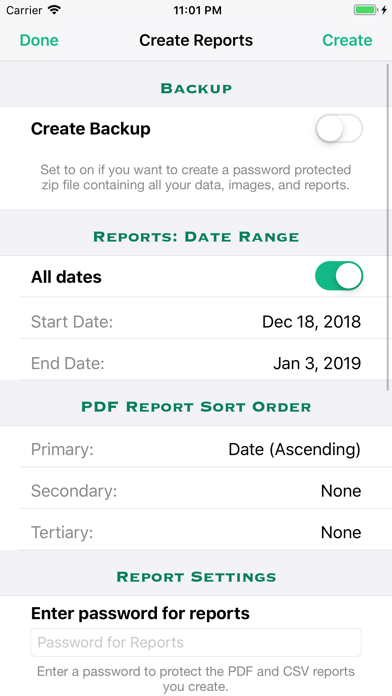
• Create reports in password protected PDF format and as a CSV file that is password protected in a ZIP format, as well as a password protected backup of your data, that can then be emailed, sent via AirDrop, sent to your iCloud Drive or Dropbox account, or downloaded using iTunes when your iOS device is connected to your computer.
• Reports can be created for a specific date range, location/facility, and one can specify the primary, secondary and tertiary sort order of the PDF report.
BACKUP
• In addition to backing up to iCloud and/or iTunes, if you have a DropBox account, you can copy the password protected backup file and reports to DropBox from within the Procedure Log app.
• You can also use the Files app to transfer files to your iCloud Drive, Dropbox account, or, if you have a Mac computer, use AirDrop to transfer it to your Mac computer.
• You can also email the password protected backup file to yourself.
SECURITY
• App is password protected and all data is encrypted when you log off the app or the app is no longer the active app.
• PDF and CSV reports are encrypted and password protected.
• Retrieve your username and password if you have forgotten them; you must first answer several security questions in the "Create User" or the "Edit User" views.