StoreIntel
AppsTop ChartsTrendingKeywordsMy Apps
Not affiliated with Apple Inc. App Store is a trademark of Apple Inc.Top chartsSupportTermsPrivacy

Portable Inventory

Chengdu Wangqi03 Technology Ltd. · Utilities · 7.7y old

Free
◆ ProTrack this app App Store

Performance · Worldwide

Est. downloads / month · WW

<5K

Below chart threshold

Est. IAP revenue / month · WW

<$5K

Below chart threshold

Rating · WW

4.1★

226 ratings

Chart position

Rank history — US · Top Grossing

Apple's Top Grossing chart — all apps ranked by revenue (purchases + subscriptions).

Top FreeTop Grossing

Ratings count — US

226
◆ Pro1 chart locked

See the numbers behind the rankings

  • Keyword RankingsWhich App Store searches it ranks for, and where
Unlock everything

Listing

About

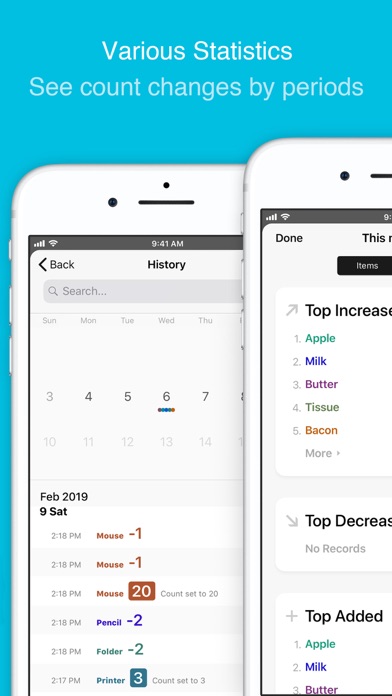
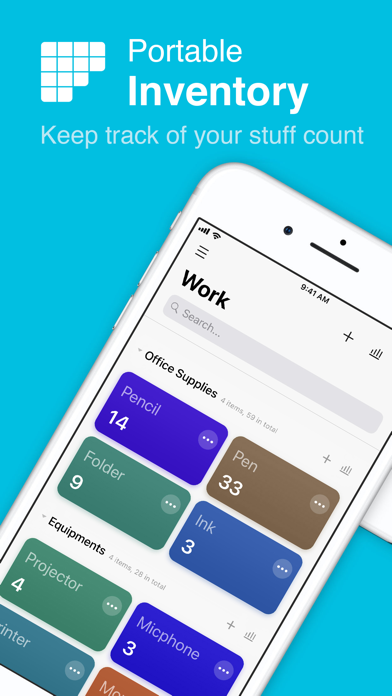
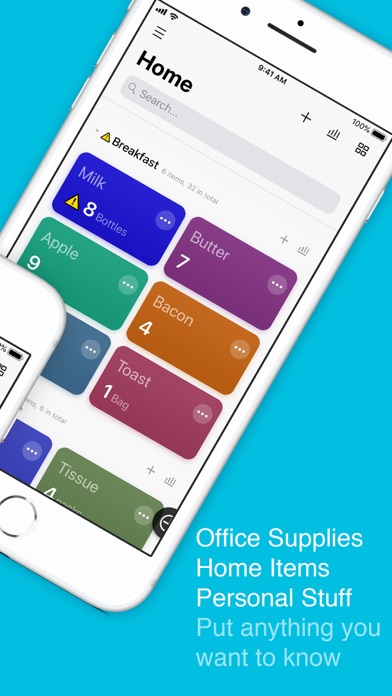
Portable Inventory helps you to keep track of the count of anything you want. Personal stuff, office supplies, product storage, etc. You can add different items into the app, set its initial count, warning count, and separate items by groups. Each item will be displayed as different colors on the main page, so that you can add or reduce the count. When an item’s count is equal or less than the warning count, a little yellow triangle with an excalmatory mark will be display on the item, and the group it belongs to. In addition, the app provided various functions to see statistics for your items or groups. You can check out the increasing, or decreasing ranking list of your items or groups in a specified time period. You can also see the change logs for all items and groups. The app works both on iPhone and iPad, and fully supports iCloud. You may edit your items across all your devices and your data will be safely stored in iCloud. And of course you can wipe out all data as you need.
Released
Feb 12, 2019
Category
Utilities
Content rating
4+
Price
Free
In-app purchases
No
WWUSGBDEJPINBR

No chart data

No rank history yet for this selection.

→

Screenshots

5
Portable Inventory screenshot 1Portable Inventory screenshot 2Portable Inventory screenshot 3Portable Inventory screenshot 4Portable Inventory screenshot 5