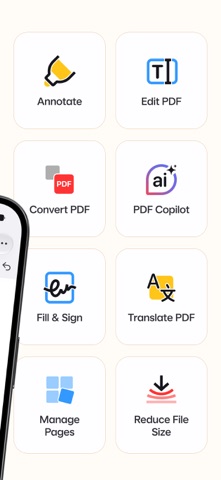
PDF Expert is a fast and easy PDF app to read, annotate, fill and sign PDF forms, convert files to PDF, and merge, split or compress documents – all in one intuitive app for iPhone, iPad, Mac & Vision Pro.
Read PDF files with comfort, highlight and mark up text, fill out forms, sign contracts, create and convert PDFs, and summarize long documents in seconds with AI-powered tools. Unlock unlimited possibilities with PDF Expert Premium and work across all your Apple devices.
"PDF Expert is one of my must-have iPad apps and a desktop-class PDF reader." – MacStories
"The best app for managing, editing, and reading PDFs on your iPad." – The Sweet Setup
▶ WITH PDF EXPERT, YOU CAN:
READ PDFs
- PDF reader with Day, Night, and Sepia modes for comfortable reading anytime
- Scroll PDFs vertically or horizontally and search text in any document
- Open and view PDF files from email, web, Files, or any app via the Share menu
- Read PDFs out loud with Text to Speech
ANNOTATE AND MARK UP PDFs
- Highlight, underline, and strike through text in your PDFs
- Mark up documents with pen, shapes, text, notes, and comments
- Add stamps such as Approved or Confidential
- Record your voice and add audio notes to PDFs
FILL AND SIGN PDF FORMS
- Fill out PDF forms with text fields, checkboxes, and radio buttons
- Sign PDF documents in seconds – draw your signature or add it from an image
- Save your signature to sign contracts, agreements, invoices, and applications faster
- Fill, sign, and send forms right from your iPhone – no printing or scanning needed
- Supports all major form formats, including AcroForms and static XFA forms
***PREMIUM FEATURES***
EDIT PDFs
- Edit text directly in a PDF – just as you would in a Word document
- Add, replace, and resize images in your PDFs
- Add links to other pages or websites
- Add outlines to navigate large PDFs
CREATE AND CONVERT PDFs
- Create PDFs from Word files, images, and other documents
- Convert Word to PDF, JPG to PDF, and PNG to PDF in seconds
- Convert PDF to Word, Excel, PowerPoint, JPG, PNG, and TXT
MERGE, SPLIT AND ORGANIZE PDFs
- Merge and combine multiple PDF files into one
- Split PDFs and extract pages into a new file
- Add, delete, rotate, and reorder pages with thumbnail preview
COMPRESS PDFs
- Compress PDFs to reduce file size for email and sharing
- Shrink large PDF files to save space on your device
SUMMARIZE PDFs WITH AI – PDF COPILOT
- List Main Points – get key takeaways from any PDF
- Summarize – get concise summaries of entire PDFs or annotations
- Ask Anything – find details with AI answers and references
- Explain – get instant explanations of words or phrases
PROTECT YOUR FILES
- Password-protect PDF Expert
- Redact – permanently black out sensitive information
WORK WITH SCANNED DOCUMENTS
- Open scanned PDFs to fill out, sign, annotate, and share
CONSTRUCTION TOOLS
- Scale and measure drawings with the Measure tab
- Polygon, polyline, and redline tools
MORE FEATURES
- Customizable toolbar
- Presentation Mode
- Print and share PDFs via email or cloud
ONE ACCOUNT FOR ALL YOUR APPLE DEVICES
One Premium subscription covers PDF Expert on iPhone, iPad, and Mac – no need to buy versions separately.
Read more about our terms and conditions here:
https://pdfexpert.com/privacy
https://pdfexpert.com/terms
Don’t hesitate to reach out to us at http://readdle.com/contact