Introducing PDF Sign, the ultimate PDF editor designed to bring convenience and ease-of-use to your digital paperwork.
Take full control of your documents and streamline your business operations with PDF Sign. Whether you need to create new PDFs, read and annotate existing ones, fill out forms, or securely sign documents, PDF Sign has you covered. Say goodbye to the hassle of dealing with printed copies and embrace the power of a single app for all your document management needs. Stay one step ahead when it comes to efficient and effective document handling.
CREATE & VIEW
- Effortlessly create new PDFs from scratch, tailored to your specific needs.
- Seamlessly open and view any PDF file with ease.
- Zoom in and out for comfortable reading and precise inspection.
- Quickly search for information within PDFs using text search.
EDIT & ANNOTATE
- Edit text within your PDF files, fix typos, and refine paragraphs for a polished result.
- Add comments and annotations using text notes, making collaboration a breeze.
- Utilize your finger or stylus to write directly on PDFs, providing a personal touch.
- Easily fill out PDF forms, eliminating the need for manual paperwork.
- Highlight key ideas and incorporate shapes to emphasize important information.
- Insert and manipulate images, enabling you to crop, resize, and adjust angles as needed.
- Seamlessly sign documents directly on your device's screen, ensuring a professional touch.
- Safeguard sensitive data with password protection, granting you peace of mind.
MANAGE & STORE
- Import files from your device or popular online storage services like iCloud and Dropbox, making access a breeze.
- Effortlessly delete pages from multi-page PDF documents, allowing you to refine your content.
- Share PDF files with or without annotations, promoting collaboration and efficient communication.
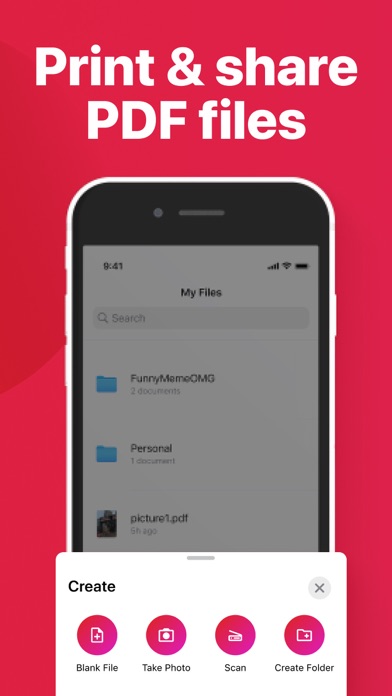
- Conveniently print files directly from your device, enabling easy physical copies when needed.
- Convert images and documents into PDF files, expanding your options for document creation.
- Manage PDF pages with ease, including adding, rotating, and reordering them to suit your preferences.
- Merge two or more PDF pages into a single document, enhancing organization and simplicity.
AUTO-RENEWABLE SUBSCRIPTIONS
You can download the app for free. Further use requires a subscription.
When opting for a subscription, you pay the fixed price for your country, which is displayed in the app.
Payment will be charged to your Apple ID Account upon confirmation of purchase.
Subscription automatically renews and free trial automatically converts into subscription unless auto-renewal is turned off at least 24 hours before the end of the current period.
Your Account will be charged for renewal within 24 hours prior to the end of the current subscription period.
You can manage your subscriptions and turn off auto-renewal by going to your Account Settings after purchase.
When canceling a subscription or a free trial, your subscription/free trial will stay active until the end of the current period.
SUBSCRIPTION PRICES
Annual - $39.99 Monthly - $9.99
Weekly - $3.99
Read more about our terms and conditions here:
https://pdfsignapp.com/privacy/
https://pdfsignapp.com/terms/
Discover the power and convenience of PDF Sign today. Simplify your document management, enhance productivity, and stay ahead of the curve in the ever-changing digital world.