PDF Editor: Scan, Convert & Sign Documents
Working with PDFs should feel simple and efficient.
PDF Editor helps you scan documents, edit PDFs, convert files, and sign documents—all in one easy-to-use app. Whether you're managing work files, study materials, or personal documents, everything stays organized and accessible.
All-in-One PDF Editor & Scanner
Edit, merge, convert, and manage your PDFs with a smooth workflow designed for everyday use.
Edit, Merge & Organize PDFs
Stay in control of your files with powerful editing tools:
• Add text and annotations to PDFs
• Merge multiple PDFs into one file
• Split large PDFs into smaller sections
• Reorder, rotate, or delete pages
• Manage pages with simple controls
Perfect for organizing documents, notes, and reports.
Sign & Protect Documents
Handle important files securely:
• Add signatures to forms and documents
• Set passwords to protect sensitive PDFs
• Open password-protected files
Convert Files to PDF
Use a fast PDF converter while keeping formatting consistent:
• Image to PDF
• Text to PDF
• Word to PDF
• Excel to PDF
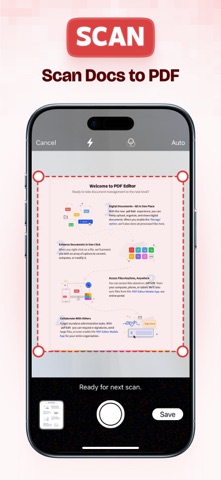
Scan Documents Anytime
Turn your device into a portable PDF scanner:
• Scan receipts, notes, and documents
• Automatic edge detection for clear scans
• Adjust, crop, and enhance scans
• Save instantly as PDF files
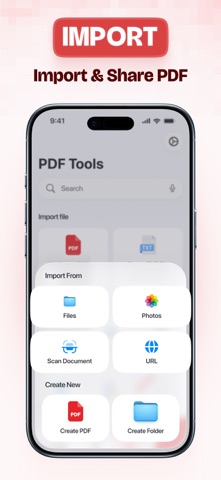
Import Files from Multiple Sources
Access your documents easily:
• Files app
• Photos
• iCloud Drive
• Dropbox
• Import via URL
(Third-party services are supported for import functionality only.
This app is not affiliated with or endorsed by these services.)
Read or Listen to PDFs
Review documents your way:
• Smooth PDF reader with zoom and navigation
• Listen with built-in text-to-speech
Organize Your Files Efficiently
Keep everything structured:
• Rename, move, or duplicate files
• Create folders
• Search by file name or type
Share & Print Easily
• Share via Mail, AirDrop, or other apps
• Print documents directly
Privacy-Focused Experience
Your documents are handled with care, focusing on reliable performance and respecting your privacy.
Privacy Policy: https://maximaapps.com/policy/privacy_policy.html
Terms of Use: https://maximaapps.com/policy/terms_of_use.html