StoreIntel
AppsTop ChartsTrendingKeywordsMy Apps
Not affiliated with Apple Inc. App Store is a trademark of Apple Inc.Top chartsSupportTermsPrivacy

PDF Editor-Converter & Viewer

SOLVEIT sp. z o.o. · Utilities · 1.1y old

FreeSubscriptions
◆ ProTrack this app App Store

Performance · Worldwide

Est. downloads / month · WW

<5K

Below chart threshold

Est. revenue / month · WW

<$5K

Below chart threshold

Rating · WW

4.6★

448 ratings

Chart position

Rank history — US · Top Free

Apple's Top Free chart — free apps ranked by recent downloads.

Top FreeTop Grossing

Ratings count — US

448
◆ Pro1 chart locked

See the numbers behind the rankings

  • Keyword RankingsWhich App Store searches it ranks for, and where
Unlock everything

Listing

About

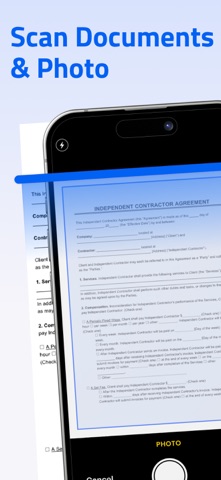
PDF Creature is a fast and easy tool for creating, editing, and managing PDF files. Convert images or text into PDFs, merge or split documents, add annotations, and protect your files with passwords. With cloud support and a simple interface, PDF Creature helps you handle PDFs anywhere, anytime. Key Features: -Create PDFs from images or text -Edit and annotate PDFs -Merge, split, and organize files -Add password protection -Import and share via cloud services Download PDF Creature and take control of your documents. Subscription Information: - Payment. Charges apply to your iTunes Account at purchase confirmation. - Auto-Renewal. Subscriptions renew automatically unless canceled at least 24 hours before the current period ends. - Renewal Charges. Your account will be charged for renewal within 24 hours prior to the end of the current period, based on the selected plan. - Manage Your Subscription. Go to your Account Settings after purchase to handle auto-renewal and other preferences. Privacy Policy: https://telegra.ph/Privacy-Policy-08-27-92 Terms Of Use: https://telegra.ph/Terms-of-Use-08-27-5

Released
Aug 26, 2025
Category
Utilities
Content rating
4+
Price
Free
In-app purchases
Subscriptions
WWUSGBDEJPINBR

No chart data

No rank history yet for this selection.

→

Screenshots

4
PDF Editor-Converter & Viewer screenshot 1PDF Editor-Converter & Viewer screenshot 2PDF Editor-Converter & Viewer screenshot 3PDF Editor-Converter & Viewer screenshot 4