The PDF Editor app is the fast and easy way to edit or sign PDF documents, all from your iPhone or iPad. Quickly import PDF files into the app, or use the scanner feature to scan your paper documents into PDF documents in the app.
Edit PDF files:
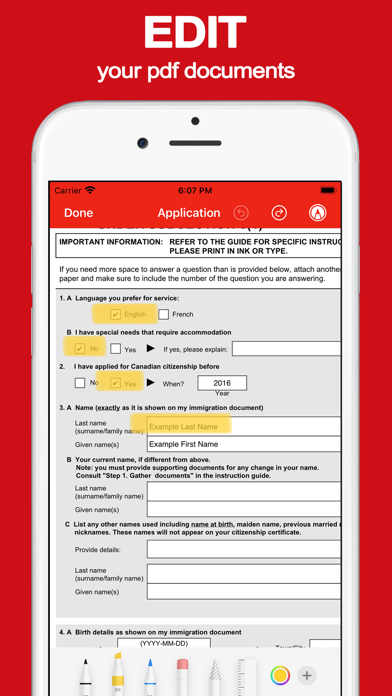
• Fill out pdf forms by typing text into fields
• Highlight document text in several colors
• Annotate and markup sections of text
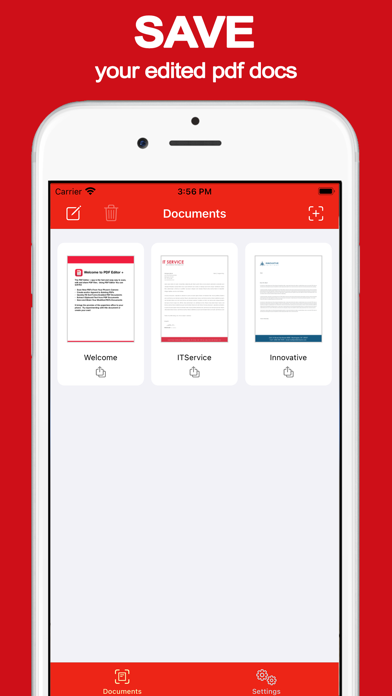
• Save and send your updated documents
Scan documents to PDF:
• Use your phones camera as document scanner
• Turn your paper documents into PDF files
• Automatic cropping and adjustment
• Support for multi page documents
Print PDF Documents:
• Select your printer over wireless
• Print your PDF documents to paper
Sign PDF documents:
• Use your finger to sign documents with your signature
All documents are stored on your phone and nothing is shared with us or third parties.
Privacy Policy: https://silverelmsys.com/pdfeditorplus/privacy_policy.html
Terms of Use: https://silverelmsys.com/pdfeditorplus/terms_of_use.html
For any questions or requests, please use the customer contact form on our website:
https://www.silverelmsys.com