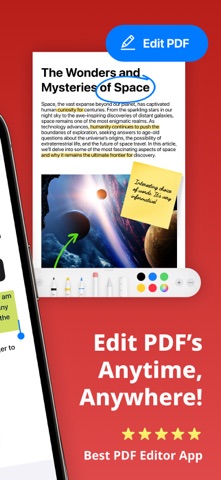
Edit, sign, convert, and manage PDF files instantly with PDF Air – a powerful PDF editor and document manager.
PDF Air is a PDF creator and file converter that gives you full control over your documents. Whether you need to open, edit PDF files, eSign, convert to PDF, or scan to PDF, PDF Air simplifies every step. Use it as your PDF reader, PDF editor, PDF converter, or PDF maker – all in one app.
▶ How does PDF Air work?
PDF Air allows you to open and edit PDF documents, apply your digital signature, convert images or scans into PDFs, and manage files effortlessly. You can highlight, annotate, and fill forms without leaving the app.
▶ How do I edit a PDF on my device?
To edit PDF files, simply import them. You can add text, erase content, fill out PDF forms, highlight text, and eSign in seconds. No printing required – just quick, paperless editing with your PDF editor.
▶ Can I convert files to PDF?
PDF Air functions as a complete file converter. You can convert a photo to PDF, JPG to PDF, picture to PDF, or multiple photos to PDF instantly. It's perfect for anyone needing a reliable way to create PDF documents on the go.
▶ How do I sign documents?
Use the eSign feature to add your signature directly onto any document. Whether signing contracts, agreements, or forms, the digital signature tool makes it fast and secure. Your eSign is reusable, customizable, and easy to place anywhere on the page.
▶ Where can I use PDF Air?
Use PDF Air across email, messaging apps, and cloud platforms. Edit PDF files, create PDF from scans, or convert image to PDF from anywhere. Export documents to Google Drive, Dropbox, or share directly via email, Slack, or WhatsApp.
Enhance your productivity with Air Apps One – a subscription to 30+ essential apps. A subscription to PDF Air unlocks tools for productivity, learning, wellness, and more. Access apps like Translate Now, Water Tracker, and Scanner Air under one affordable plan. Simplify your daily routine with unlimited access and exclusive features in one seamless experience.
Subscription options include:
1-week
1-month
1-year
Manage your subscription easily:
Payments are charged to your iTunes account at purchase confirmation and renewed automatically unless canceled at least 24 hours before the end of the current period. Free trials convert to paid subscriptions unless canceled in time. Unused portions of any free trial are forfeited once a subscription begins. All subscriptions are managed via your Apple ID. For changes, cancellations, or refunds, please use your iTunes account settings or contact Apple Support.
EU Residents: You may cancel within 14 days via Apple’s process. Refunds are not available if you have downloaded and started using the app.
Connect with us:
Web: https://airapps.co
LinkedIn: https://www.linkedin.com/company/airapps
Instagram: https://www.instagram.com/airappsco
Privacy Policy: https://airapps.co/privacy
Terms of Use: https://airapps.co/terms
Support: support@airapps.co