READ • RECORD • IMPRESS
OnTake is the best video teleprompter for scripts, lyrics, speeches and preparing for presentations. Simply read from the prompter while recording and create professional-looking videos. Maintain perfect eye contact and deliver flawless takes, every time.
Trusted in 130+ countries by vloggers, educators, business leaders, pastors, actors, online course creators, social media influencers and more.
What Can You Make?
• Reels, Shorts & TikToks
• YouTube explainers & demos
• Webinar intros & course lessons
• Sermons, speeches & auditions
• Video résumés & investor pitches
• Training videos & onboarding guides
• Product launches & feature announcements
• Behind-the-scenes clips & personal updates
• Event invitations & holiday greetings
• Influencer shoutouts & brand collaborations
• Language practice & pronunciation training
• Music lyric readings & spoken word performances
• Q&A sessions & AMA videos
• Scripted podcasts with visual elements
• Testimonials & customer stories
• Real estate walk-throughs & property intros
• Virtual tours & travel diaries
• Remote job interviews & self-introductions
• Campaign videos & fundraising messages
• …any talking video you can imagine
Why OnTake?
OnTake can help at every step of the video creation process, from writing your script and recording your video to quick post-editing and sharing. Available on both iPhone and iPad, it’s the ultimate tool for delivering smooth, professional talking videos.
Record Like a Pro
• Pick the perfect ratio: 1:1, 4:5, 16:9, or 9:16
• Front or rear camera in HD, Full HD, or 4K
• Built‑in mic or any external microphone
• Customizable countdown for stress‑free starts
• Pause/Resume so retakes never mean starting over
On‑Screen Prompter Controls
• Adjustable font size, color, opacity & placement
• Natural scroll speed you can tweak mid‑recording
• Mirror or flip text for physical teleprompter rigs
Effortless Script Management
• Write from scratch or import DOCX, PDF, TXT & images
• Real‑time editing while the camera is ready to roll
• Star takes to find the perfect version fast
Lightning‑Fast Post‑Production
• One‑tap crop to square, portrait, or landscape
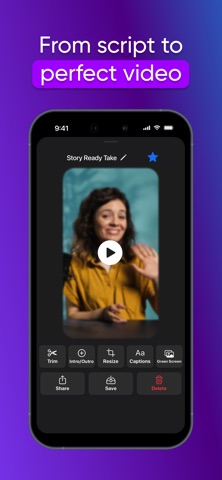
• Trim the awkward starts and messy endings
• Add custom intros and outros to boost your brand
• Replace green screen with any image for an instant studio look
OnTake is free to download. Whether you're shooting a vlog, delivering a speech, or filming a polished pro video with your iPhone or iPad, this all-in-one teleprompter, autocue, script reader, floating prompt, and video recorder app makes staying on cue seamless and professional. Simply load your script, press record, and speak with confidence, no more memorizing or losing your place during takes.
OnTake is ideal for creators, educators, speakers, and professionals who need a reliable script and notes tool on the go. Whether you're creating Reels, tutorials, or interviews, you can adjust scroll speed, font, and placement mid-recording, turning your device into a smart prompt system that supports your natural delivery. Use real-time editing and auto features like countdowns and pause/resume to perfect every take.
Add polish with built-in post-production tools, trim, crop, and customize your footage in seconds. Generate clean cuts, create impactful intros/outros, and even replace green screens for a studio-like result. Whether you're a video maker, presenter, or remote team member preparing a cold read, OnTake gives you full creative control to produce professional content, faster and smarter.
Teleprompter Privacy Policy
teleprompterpro.co/privacy.html
Teleprompter Terms of Services
teleprompterpro.co/terms.html