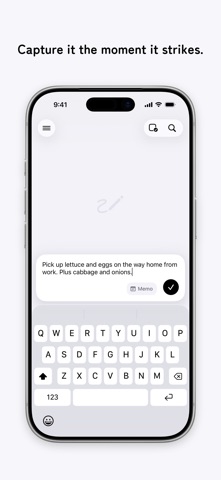
Nokosu is an app for instantly "keeping" memos, to-dos, camera photos, album images, and more.
With its simple, effortless feel, you can jot down your thoughts just as they come.
■ Capture the moment
One button in the bottom-right corner.
Text, a photo you snap on the spot, or an image from your library — save it the instant it comes to mind.
■ Memos and to-dos
Text you want to keep goes in a memo; things to get done go in a to-do.
Both are just as quick to save the moment they come to mind — and you can switch between memo and to-do anytime.
■ Stack to organize
Just stack one memo onto another and a new folder is created automatically.
Things tidy themselves with a simple touch.
■ Drag & drop, freely
Move memos and folders anywhere with drag & drop.
Reorder them, move them in and out of folders — everything just as you like.
■ iCloud sync
Sync your memos in real time across devices signed in with the same Apple ID.
― Nokosu Pro ―
A monthly plan that bundles features for keeping things even more conveniently.
■ Bookmarks
Bookmark important memos and call them up anytime from the Bookmarks list.
■ Nested folders
The free version lets you create folders at the top level only; with Pro, you can also create folders on deeper levels.
■ All themes available
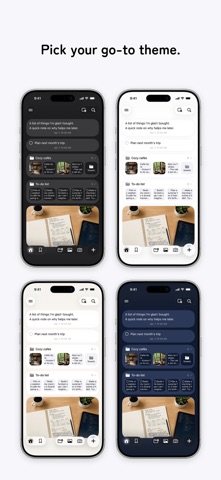
In addition to the default Light theme, dress up the app with Dark, Beige, Navy, and White.
■ Quick input
The keyboard appears the moment you open the app, so you can start writing right away without tapping the input button.
■ Lock Screen widget
Put Nokosu on your Lock Screen or in Control Center and start writing a memo with a single tap.
■ Save to Photos too
When you capture a photo memo in the app, you can also copy the photo to your Photo Library.
Terms of Use
https://nokosu.app/en/terms/
Privacy Policy
https://nokosu.app/en/privacy/