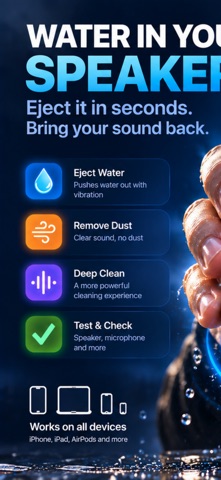
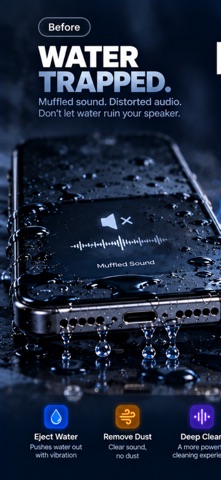
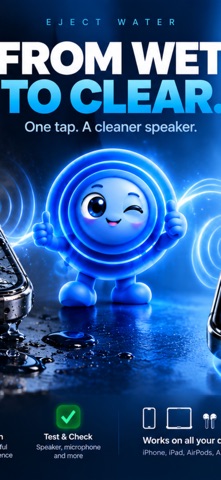
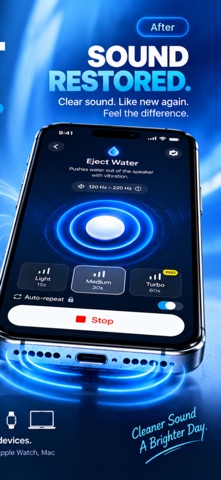
Water in your speaker? Dust in the grille? Earbuds sounding muffled? Eject Pro plays precise sound to push trapped water out and shake dust loose — from your iPhone or iPad speaker, and from your AirPods & earbuds. Then check the result with the built-in speaker and microphone tests.
Cleaning and most tools require Eject Pro; the weekly plan starts with a 3-day free trial for new subscribers. The Microphone Test is free.
CLEANING MODES
• Eject Water — low-frequency vibration pushes trapped water out
• Remove Dust — high-frequency sweep loosens dust and debris
• Turbo — the 60-second level, with maximum power for Eject Water on the built-in speaker
• Complete Clean — water, dust & deep in one tap
• Custom Frequency — set your own Hz, from 50 Hz to 18 kHz
PHONE + EARBUDS
• Clean the built-in speaker of your iPhone or iPad
• Optional tuning — finds your speaker's strongest frequency in about 6 seconds, using the mic
• Clean AirPods & earbuds — left, right or both, or "Left, then right" in one tap
• Earbud hearing safety — asks you to take them out first, capped level, no volume boost
• Find a Lost Earbud — plays a loud sound through a connected earbud
TEST & CHECK
• Speaker Test — hear left & right clearly
• Microphone Test — record and play back to check your mic
• Clarity Check — scores your speaker across five tones, by mic or by ear; compare before and after a clean
• Sound Meter — approximate decibel level around you, with Average and Max
MORE
• Home Screen widget & Siri Shortcuts — jump straight to Eject Water or Remove Dust (built-in Siri phrases need iOS 17 or later)
• Eject Water control for Control Center, the Lock Screen and the Action button (iOS 18 or later)
• Ripple, your guide — what to do when your phone gets wet, FAQ and care tips
• Auto-repeat — restarts the cycle automatically
• Cleaning History — your last 100 cleans, kept on your device
• Light & Medium intensity levels, optional haptic feedback, dark mode
EJECT PRO
Eject Pro is required for every cleaning mode, the Speaker Test, Clarity Check, Sound Meter, Find a Lost Earbud and Cleaning History. The Microphone Test and the Ripple guide are free. Choose a plan:
• Weekly, Monthly or Yearly
• Weekly includes a 3-day free trial for new subscribers, then renews as a paid weekly subscription unless canceled at least 24 hours before the trial ends
Prices are shown in the app before you buy. Subscriptions renew automatically unless canceled at least 24 hours before the period ends; manage or cancel anytime in your App Store settings. Payment is charged to your Apple ID.
Terms of Use: https://www.apple.com/legal/internet-services/itunes/dev/stdeula/
Privacy Policy: https://ejectpro.com/privacy
PRIVACY
No account needed and cleaning runs entirely on your device. We use Apple and RevenueCat only to process and manage your purchases.
DISCLAIMER
A helpful maintenance tool; it does not guarantee your device's water resistance. For water damage, please contact an authorized service.