StoreIntel
AppsTop ChartsTrendingKeywordsMy Apps
Not affiliated with Apple Inc. App Store is a trademark of Apple Inc.Top chartsSupportTermsPrivacy

Nested Folder Notes: CrumbNote

Shibapp LLC · Productivity · 5.4y old

Free
◆ ProTrack this app App Store

Performance · Worldwide

Est. downloads / month · WW

<5K

Below chart threshold

Est. revenue / month · WW

<$5K

Below chart threshold

Rating · WW

4.8★

9 ratings

Chart position

Rank history — US · Top Grossing

Apple's Top Grossing chart — all apps ranked by revenue (purchases + subscriptions).

Top FreeTop Grossing

Ratings count — US

9
◆ Pro1 chart locked

See the numbers behind the rankings

  • Keyword RankingsWhich App Store searches it ranks for, and where
Unlock everything →

Listing

About

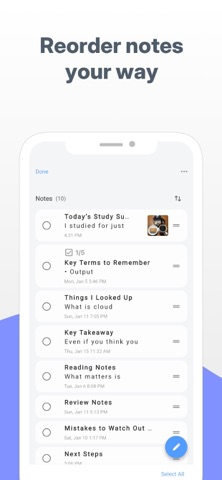
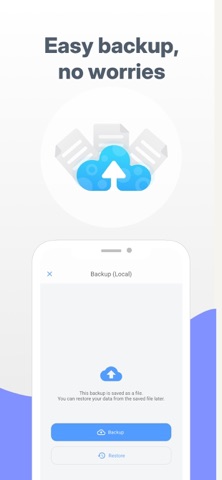
CrumbNote is a powerful note app that lets you create folders inside folders. Organize large amounts of notes with a clear, structured layout that’s perfect for work, study, and creative projects. Reorder notes easily with drag and drop, or let the app sort them automatically. Select multiple notes or folders at once to move, duplicate, or delete in seconds. Color-coded notes make it easy to find what you need at a glance, even in long lists. Ideal for: • Work notes, meeting minutes, and task lists • Study notes, classes, and exam preparation • Journals, daily logs, and idea capture • Writing, blogging, and creative planning • Recipes, shopping lists, and hobbies Key features: • Nested folders for structured organization • Drag & drop and auto sorting • Search and trash folder • Photo attachments (up to 10 per note) • Checklists and character count • Note history and recovery • Passcode lock and backups # LICENSE Icons by Icons8

Released
May 10, 2021
Category
Productivity
Content rating
4+
Price
Free
In-app purchases
No
Developer site
lancerdog.com ↗
WWUSGBDEJPINBR

No chart data

No rank history yet for this selection.

Screenshots

6
Nested Folder Notes: CrumbNote screenshot 1Nested Folder Notes: CrumbNote screenshot 2Nested Folder Notes: CrumbNote screenshot 3Nested Folder Notes: CrumbNote screenshot 4Nested Folder Notes: CrumbNote screenshot 5Nested Folder Notes: CrumbNote screenshot 6