StoreIntel
AppsTop ChartsTrendingKeywordsMy Apps
Not affiliated with Apple Inc. App Store is a trademark of Apple Inc.Top chartsSupportTermsPrivacy

Loyverse CDS Customer Display

Loyverse · Business · 9.1y old

Free
◆ ProTrack this app App Store

Performance · Worldwide

Est. downloads / month · WW

<5K

Below chart threshold

Est. revenue / month · WW

<$5K

Below chart threshold

Rating · WW

4.3★

8 ratings

Chart position

Rank history — US · Top Free

Apple's Top Free chart — free apps ranked by recent downloads.

Top FreeTop Grossing

Ratings count — US

8
◆ Pro1 chart locked

See the numbers behind the rankings

  • Keyword RankingsWhich App Store searches it ranks for, and where
Unlock everything →

Listing

About

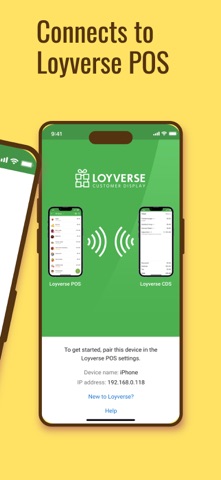
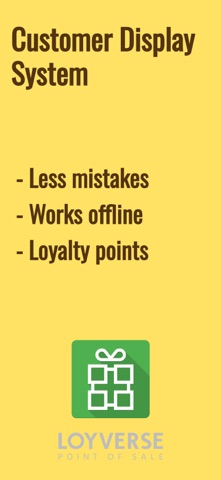
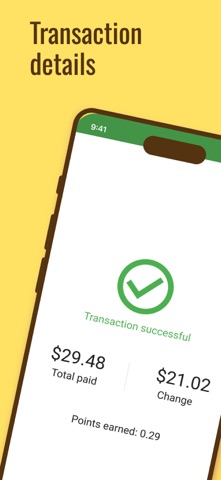
Loyverse CDS (Customer Display System) is an interactive screen that allows your customers to view the details of their orders and enter their email addresses to receive digital receipts. It's designed to enhance the customer experience and provide a more efficient way to manage orders and receipts. Features of Loyverse CDS: - Order Information: The display shows all the relevant details of customer's order, including items, taxes, discounts, and total amount due. - Loyalty Points: Regular customers can see their accumulated loyalty points on the screen. - Email Address Input: The display allows customers to enter their email addresses to receive digital receipts. - Offline Functionality: Loyverse CDS works even without an Internet connection. Loyverse CDS is easy to set up and can be used with a range of devices, including tablets, and smartphones. It can be a valuable tool for businesses looking to streamline their order and provide a more convenient experience for their customers.
Released
Sep 4, 2017
Category
Business
Content rating
4+
Price
Free
In-app purchases
No
Developer site
loyverse.com ↗
WWUSGBDEJPINBR

No chart data

No rank history yet for this selection.

Screenshots

5
Loyverse CDS  Customer Display screenshot 1Loyverse CDS  Customer Display screenshot 2Loyverse CDS  Customer Display screenshot 3Loyverse CDS  Customer Display screenshot 4Loyverse CDS  Customer Display screenshot 5