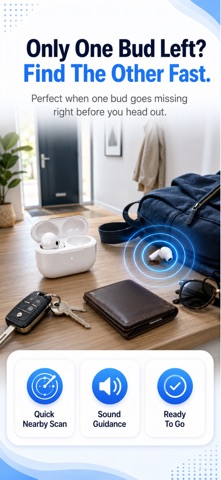
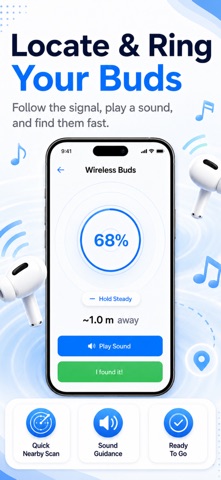
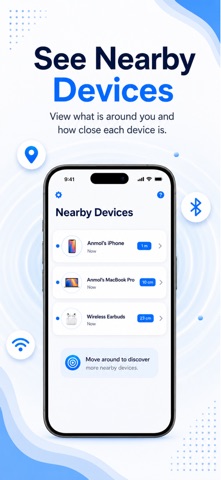
Lost your earbuds? Lost Device: Earbud Finder is the ultimate Bluetooth scanner to track missing wireless audio devices. Use our radar to locate your lost headphone, smart watch, or any BLE gadget — fast. The scanner detects nearby Bluetooth signals and guides you closer with a live signal-strength meter. Find my earbud, seek my gear, ping my item — this app does it all.
Whether you dropped one earbud in bed, left headphones at the gym, or misplaced your smart watch, our scanner helps you locate it using BLE signal tracking. Pair the app with any Bluetooth device and never lose your gear again.
Q: How do I find my lost Bluetooth earbuds?
A: Open the app, scan for nearby BLE devices, and walk toward the strongest signal. The radar guides you to your lost earbud or headphone.
Q: Can I find my earbuds if they are dead?
A: If the battery is completely dead, no Bluetooth app can detect them. However, the app saves last known locations so you can retrace your steps and find your lost item.
Q: Is there an app to find lost wireless earbuds?
A: Yes! This earbud finder scans for any Bluetooth or BLE audio device — earbuds, headphones, smart watches, and wireless gadgets.
Q: How to find one lost earbud?
A: The scanner detects individual earbuds. Walk slowly around the area and the signal meter will ping when you get close to the missing item.
Q: Can I find earbuds that are turned off or not connected?
A: The device must be powered on and broadcasting a Bluetooth signal. If it is off or fully dead, the scanner cannot locate it, but last-known location helps you seek it.
Q: How to find lost earbuds in my house?
A: Start the scan and walk room by room. The radar shows signal strength — move toward the strongest reading to locate your wireless earbud or headphone.
Q: Does this work with AirPods, Galaxy Buds, Sony, JBL, Bose, or Beats?
A: Yes. The scanner detects any Bluetooth or BLE device including AirPods, Galaxy Buds, Sony WF earbuds, JBL, Bose, Beats, Jabra, Pixel Buds, Nothing Ear, Skullcandy, and smart watches like Apple Watch, Fitbit, and Garmin.
Q: How far can the Bluetooth scanner reach?
A: Typical range is 10-30 meters depending on the device. The radar signal meter updates in real time as you move closer to locate the gadget.
Q: Can I find my lost hearing aids?
A: Yes, if your hearing aids have Bluetooth connectivity, the app can detect and help locate them using the same signal scanning technology.
Q: How do I find my Bluetooth headphones if they are in the case?
A: If your earbuds are inside a closed case, Bluetooth signal may be blocked or significantly reduced. Try opening the case or check the last known location feature.
Q: What is RSSI and how does it help find my device?
A: RSSI measures Bluetooth signal strength. Stronger signal means closer proximity. Our scanner uses RSSI to guide you toward your lost wireless audio gear like a radar.
Download now to find, locate, track, and seek any missing Bluetooth earbud, headphone, smart watch, or wireless gadget.
Lost Device:Earbud Finder SUBSCRIPTION PLANS
Weekly Plan: $7.99/week
Monthly:14.99/month
Lifetime: $19.99
PAYMENTS AND RENEWAL
- Payment will be charged to your iTunes Account at confirmation of purchase
- Subscription automatically renews unless auto-renew is turned off at least 24 hours before the end of the current period
- Your account will be charged for renewal within 24 hours prior to the end of the current period
- You can manage or turn off auto-renew in your Account settings at any time after purchase
• No cancellation of the current subscription is allowed during the active subscription period
LEGAL
Terms of Use: https://www.apple.com/in/legal/internet-services/terms/site.html
Privacy Policy: https://docs.google.com/document/d/1q51hCmm0UJ86yiy0tWt8FEasxV-x1FYvC1XIt-n8Kao/