StoreIntel
AppsTop ChartsTrendingKeywordsMy Apps
Not affiliated with Apple Inc. App Store is a trademark of Apple Inc.Top chartsSupportTermsPrivacy

List free - shopping, grocery, sync

Yurii Kobets · Productivity · 12.7y old

Free
◆ ProTrack this app App Store

Performance · Worldwide

Est. downloads / month · WW

<5K

Below chart threshold

Est. revenue / month · WW

<$5K

Below chart threshold

Rating · WW

—

0 ratings

Chart position

Rank history — US · Top Grossing

Apple's Top Grossing chart — all apps ranked by revenue (purchases + subscriptions).

Top FreeTop Grossing

Ratings count — US

0
◆ Pro1 chart locked

See the numbers behind the rankings

  • Keyword RankingsWhich App Store searches it ranks for, and where
Unlock everything

Listing

About

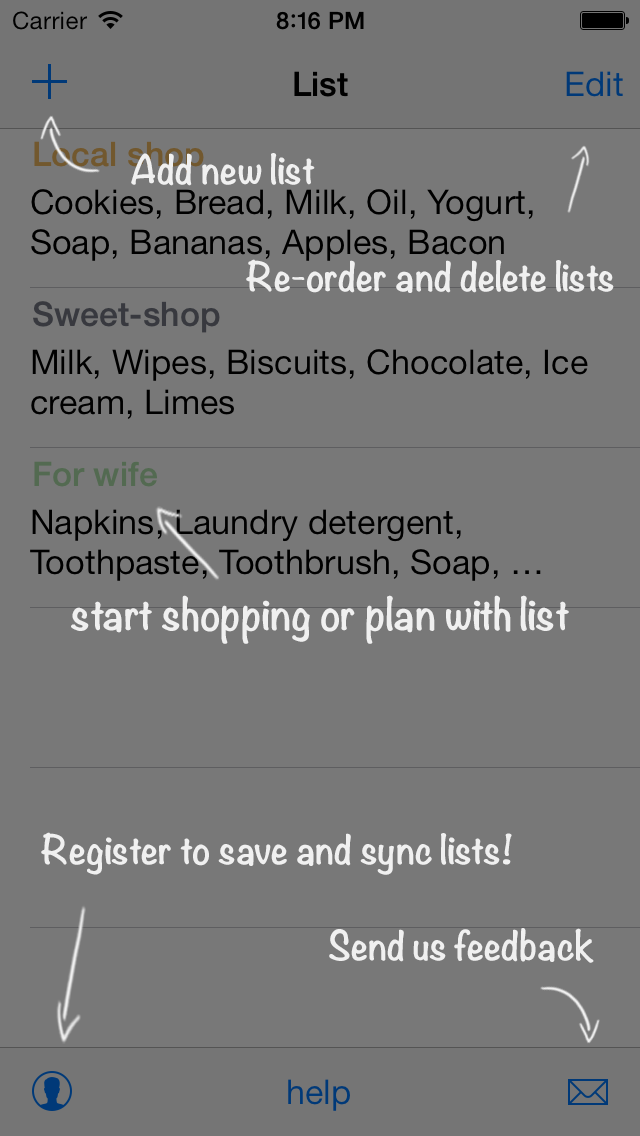
List! helps you shopping. Use List! instead of papers with grocery lists ◆ Create the shopping list ◆ Share with your family via SMS or email. ◆ Save lists in cloud and synchronise in real time. Your grocery, shopping lists will be saved and synchronised across your devices. FEATURES: * create shopping lists; * manage lists delete and re-order; * saving your shopping lists to the cloud; * loaded items for easy input; * search with auto-substitution; * search by categories; * quantity input for item; * edit and delete items in list; * share lists via SMS and email; * iOS 7 compatibility; ADVANTAGES: * save time - all lists in one app. You remember to buy everything * save money - buy only what you've planned! no more. * share lists - see and sync lists with your family and friends. With «List» you will enjoy shopping!

Released
Feb 5, 2014
Category
Productivity
Content rating
4+
Price
Free
In-app purchases
No
WWUSGBDEJPINBR

No chart data

No rank history yet for this selection.

→

Screenshots

5
List free - shopping, grocery, sync screenshot 1List free - shopping, grocery, sync screenshot 2List free - shopping, grocery, sync screenshot 3List free - shopping, grocery, sync screenshot 4List free - shopping, grocery, sync screenshot 5