Resize photos quickly and easily.
Adjust image dimensions and quality to reduce file size, then save or share the result.
Convert images to JPEG, HEIC, or PNG, crop and rotate photos, and remove Exif and GPS metadata. ImageResize is useful for social media, email attachments, website uploads, saving storage space, and more.
■ EASY IMAGE RESIZING
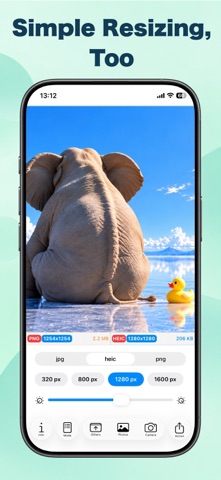
Simply choose a photo, set the output size and image quality, and resize.
Quickly select commonly used sizes from presets, or create and save your own custom sizes.
■ SIMPLE OR ADVANCED RESIZE MODES
Choose between a Simple mode for quick resizing and an Advanced mode for more precise control.
Even after loading an image, you can switch between resize modes anytime using the mode button.
■ COMPARE BEFORE AND AFTER
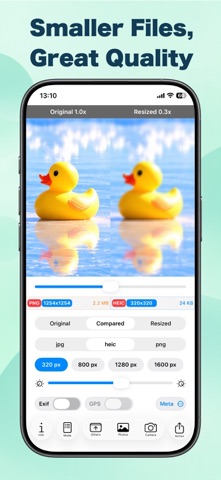
Compare the same area of the original and resized images side by side.
Zoom in to check fine details and see how image quality changes after resizing.
The dimensions and file sizes of both the original and resized images are also displayed, making it easy to balance image quality and file size.
■ REDUCE IMAGE FILE SIZE
Adjust image dimensions and quality to reduce file size.
Preview the result and fine-tune the settings to find the right balance of size and quality for your needs.
■ CONVERT TO JPEG, HEIC, OR PNG
Choose the output format that best suits your needs:
• JPEG
• HEIC
• PNG
■ CROP, ROTATE & EDIT IMAGES
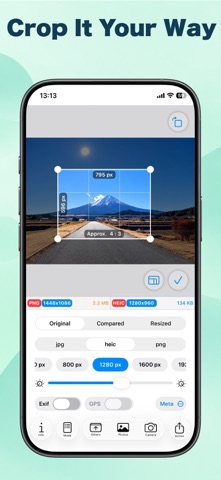
Crop images freely or choose common aspect ratios such as 1:1, 4:3, and 16:9.
You can also rotate images, apply filters, and adjust sharpness.
Draw directly on images, blur selected areas, or apply mosaic effects where needed.
■ MANAGE EXIF & GPS METADATA
Choose whether to include Exif metadata and location information in saved images.
This is useful when you want to remove location data before posting photos to social media or sharing them with others.
■ IMPORT IMAGES IN MULTIPLE WAYS
Import images from Photos, Camera, Files, copy and paste, or the Share Sheet in other apps.
Once imported, images can be resized immediately.
■ SAVE & SHARE
Save finished images directly to Photos.
You can also use the iOS Share Sheet to send images via AirDrop, Mail, Messages, social media, Files, and other compatible apps.
■ ON-DEVICE IMAGE PROCESSING
Image resizing, format conversion, and other image processing are performed directly on your device.
Your images can be processed without being uploaded to an external server.
ImageResize is a versatile image resizing app that makes it easy to prepare photos and images with the dimensions, quality, and format you need—from everyday photo sharing to professional image preparation.
Terms of Use (EULA):
https://www.apple.com/legal/internet-services/itunes/dev/stdeula/