iDocs – All-in-One File Manager, Converter & AI Assistant
Manage, convert, edit, and protect your files like never before. iDocs is the complete digital companion that combines powerful file management, media tools, and AI-powered productivity in a single app. Whether you’re a student, professional, or just looking for an easier way to stay organized, iDocs has you covered.
UNIVERSAL FILE MANAGEMENT
No matter the file type, iDocs handles it all:
- Documents: PDF, Word, Excel, PowerPoint, Text
- Media: Images, Videos, Audio files
- Tools for renaming, organizing, moving, sharing, and securing files
Your files stay safe, accessible, and organized in one convenient place.
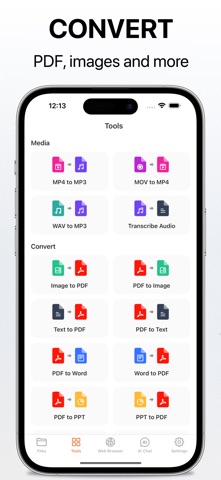
ADVANCED FILE CONVERSION
Convert files instantly with our built-in converters:
- Video & Audio: MP4 to MP3, MOV to MP4, WAV to MP3, audio transcription
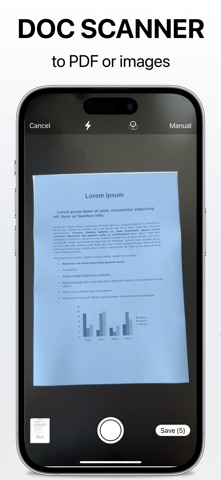
- Documents: Convert PDFs to Word, Excel, PowerPoint, Text, or Images — and vice versa
- Images: Convert HEIC to JPG, PNG to JPG, and more
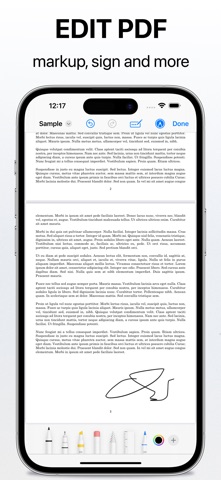
PDF TOOLS THAT DO MORE
Turn iDocs into your personal PDF toolbox:
- Merge multiple PDFs into one
- Compress PDFs to reduce file size without losing quality
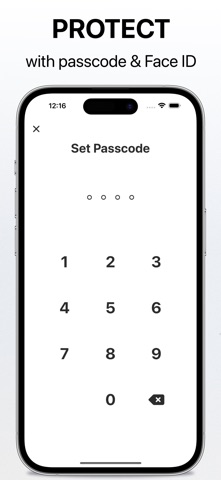
- Add or remove password protection with Lock & Unlock
IMAGE UTILITIES
Optimize your photos in seconds:
- HEIC to JPG conversion for easy sharing
- Smart image compression
- Simple editing tools to adjust your images
ZIP & UNZIP FILES
Save storage and share with ease by compressing your files into zips, or open compressed files instantly.
PRIVATE WEB BROWSER
Browse the web securely and privately. Our built-in browser keeps your data protected with no history tracking.
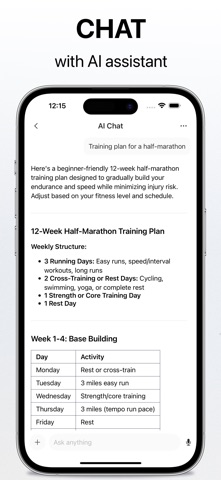
AI ASSISTANT & PRODUCTIVITY TOOLS
Take advantage of powerful AI to make your work and life easier:
- AI Chat Assistant – Ask questions, brainstorm, and get instant answers
- Translator – Translate text across dozens of languages
- Math Solver – Solve equations and word problems step by step
- Writer – Draft essays, articles, or creative content effortlessly
- Plant Identifier – Discover plants and flowers around you
- Story Creator – Inspire creativity with unique story ideas
BUILT-IN MEDIA PLAYER
Play all your videos and music without leaving the app:
- Support for all major media formats
- Background audio playback so you can enjoy music while using other apps
WHY CHOOSE IDOCS?
Unlike ordinary file managers, iDocs combines file management, file conversion, PDF tools, image editing, secure browsing, and AI assistance into one seamless experience. It’s fast, easy to use, and designed for anyone who wants to stay productive on the go.
Whether you need to:
- Convert PDF to Word, Excel, or Images
- Transcribe audio or extract MP3s from video
- Protect important documents with passwords
- Compress and share files quickly
- Get AI-powered help with schoolwork, writing, or problem-solving
iDocs is the only app you need.
Download iDocs today and take control of your digital world — one app, endless possibilities.
Privacy Policy: https://idocs.dngsoft.com/privacy-policy
Terms of Use: https://idocs.dngsoft.com/terms-of-use