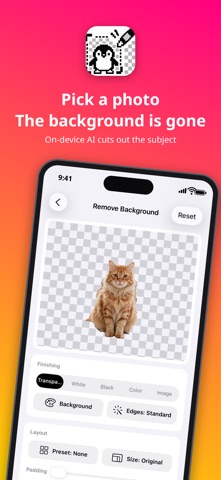
Pick a photo and iCut removes the background cleanly.
Great for marketplace and online shop listings, social posts and stickers.
■ Remove the background, just by picking a photo
• On-device AI finds the subject and removes the background automatically
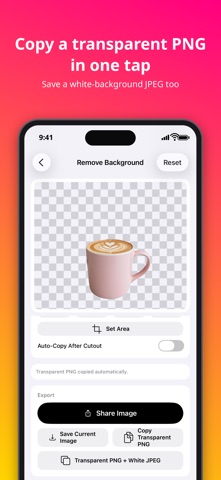
• Copy, share or save the result as a transparent PNG
■ Finish it as a product photo
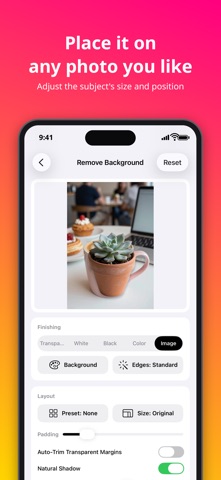
• Use white, black, any color or one of your photos as the background
• Adjust a natural shadow, margins, and the subject's size and position
• Choose the output size (original / 1024 / 2000 / 3000 px)
• Save a transparent PNG and a white-background JPEG at once
■ Fix the details by hand
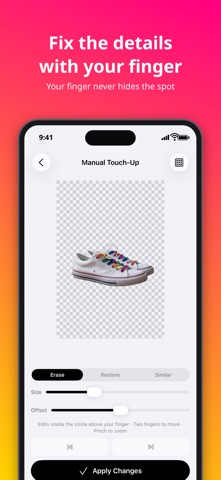
• Trace to erase or restore, with the cursor just above your finger so it never hides the spot
• Erase similar colors in one tap to cut out logos and illustrations
• Choose which subjects to keep, or set an area before cutting out
• Change how the edges are cut and try again
■ Batch background removal
• Process many photos at once (up to 20 per run; 5 photos a day in the free version)
■ Peace of mind
• All processing happens on your device. Photos are never sent to a server
• Open images from the camera, Photos, Files or the clipboard
• Supports iPad drag and drop, side-by-side layout and Shortcuts
• Available in 16 languages, with Dark Mode
■ New in 1.1
• Lasso: draw around what you want to keep and erase everything outside it (or erase/restore inside)
• Magnifier: see a close-up around your finger while you fix the details
• ID photos: automatically sized from the face position for résumé, passport and other formats, with a background color of your choice, plus a print sheet (faces are never retouched)
• Export stickers at 370×320 and 512×512
• Manual edits are kept until you save, so you can pick up where you left off
• Open photos straight from the Share menu of Photos and other apps
• Choose the sticker outline color: white, black or any color
• ID photos: red background option, saved with 300 dpi information, and print sheets in 4×6 in too
• Draw with Apple Pencil and move the picture with your finger (double-tap the Pencil to switch erase/restore)
■ Saving is free
• Cutting out, manual edits, saving and sharing are free with no watermark, at the original size
• Transparent PNGs stay transparent. iCut also explains how to send them when a chat app turns them white
■ iCut Premium
• Removes ads and unlocks unlimited batch background removal
• Unlocks background photos and subject placement
• Choose a one-time purchase or a monthly plan
Terms of Use: https://umebo.net/en/terms/