Smart Printer App & Document Scanner
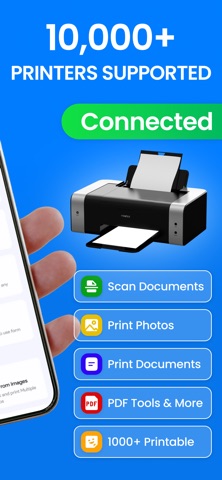
This app helps students and teachers print and scan content directly from an iPhone, making it easier to manage academic materials in one place. It brings together common printing tasks such as printing documents, photos, notes, and scanned pages through a simple and organized interface.
Built for everyday academic use, the app supports multiple content types and allows users to prepare files quickly for printing or scanning. Whether working on class assignments, lecture notes, homework, or study resources, it provides a practical way to handle printing needs both at school and at home.
Features
Print Photos
Print images from your photo library with adjustable layout options.
Print Documents
Print PDF files and supported document formats stored on your device or imported from other apps.
Scan Documents
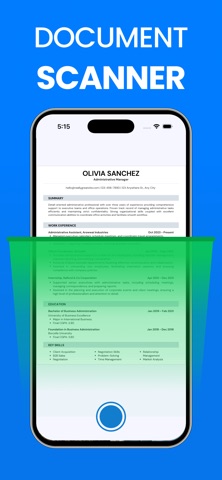
Scan paper documents using the camera and save them as digital files.
Print Web Pages
Print web content directly from a URL with clean formatting.
Print from Camera
Capture photos using the camera and print them instantly.
Print Text Notes
Create or paste text notes and print them in a simple layout.
PDF Tools
An all-in-one solution to manage your PDF files easily. Split and merge PDFs, organize or delete pages, convert PDFs to photos and photos to PDF, and lock or unlock files for secure sharing—all in just a few clicks.
Note : Purchase the plan to unlock all the features & unlimited access.
Payment will be charged to your iTunes account at confirmation of purchase. Your subscription will automatically renew unless auto-renew is turned off at least 24-hours before the end of the current subscription period. Your account will be charged for renewal within 24-hours prior to the end of the current subscription period. Automatic renewals will cost the same price you were originally charged for the subscription. You can manage your subscriptions and turn off auto-renewal by going to your Account Settings on the App Store after purchase. Read our terms of service and Privacy Policy for more information.
Privacy Policy:
https://sites.google.com/view/ventureapps/privacy-policy
Terms and Conditions:
https://sites.google.com/view/ventureapps/terms-conditions