*** PLEASE NOTE: This NOT the meditation app! *** (There is another app called "Headspace: Guided Meditation and Mindfulness" and this is NOT that app!) This is the *original* Headspace!
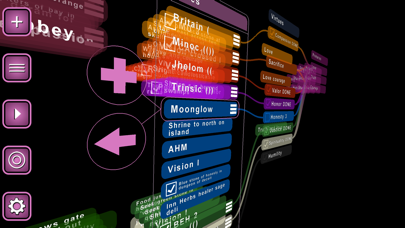
HEADSPACE is iOS's coolest 3D outliner and mind-mapping app! Do your list-making and mind-mapping in 3D space with the *original* Headspace.
"Five stars on iPhone, completely off the scale on iPad"
"This is the app I've most wanted to run on the iPad since the day it was announced, and the app that anyone looking over your shoulder will immediately want to buy an iPad just to run.
"
"Love the program. Favorite app. Useful and looks great. "
"The implementation is beautiful! In my opinion, Headspace is becoming one of the best apps in the store."
"I bought Headspace last night on a whim - been fooling around with mindmapping apps lately. This is a little piece of brilliance, you know that, right? "
"This app could not just be a mindmapping program,
It has the capability to become a new kind of U.I. That in my opinion that improved over apples U.I."
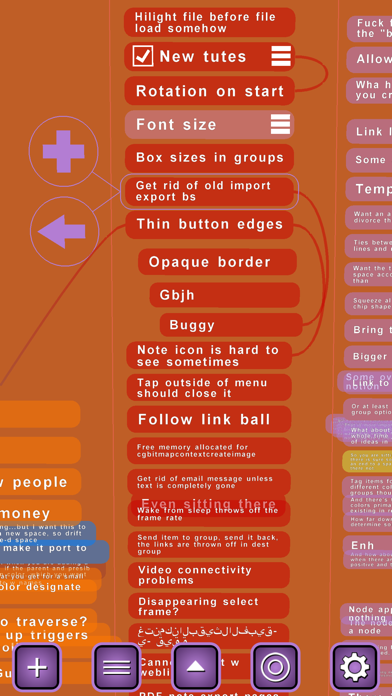
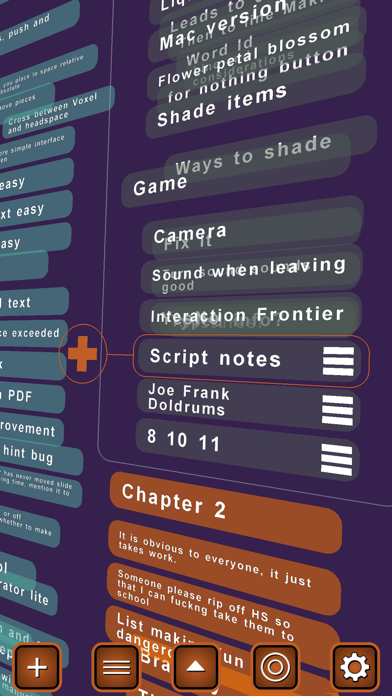
Headspace allows you to create items and groups of items on a floating plane in three-dimensional space. The hierarchy of items and their various sub-items make for a beautiful display of information as they recede into the distance. Simple and familiar finger gestures allow you to move around the space. Use the menu button to travel between various groups. Easily create links and travel between them.
The beautiful animated interface is like something from a sci-fi movie, but it isn't just eye-candy. You can go from an "eagle-eye" view of your entire map to focusing on a single item with a simple pinch of your fingers. There's just something about being able to manipulate the scale and space that goes perfectly with the idea of outlining.
Here's a rundown on all its cool features:
● build hierarchical outlines in 3D space
● use familiar finger gestures to navigate and zoom
● connect related items with link lines - even between files!
● change item color and opacity
● change text color
● 'Flick' up or down to travel to top or bottom of lists
● special characters and foreign-language support
● universal app -- runs on both iphone and ipad
● easy travel between groups and files
● cut-and-paste items
● search in spaces, notes, and files
● item notes for supplemental information (text/photo/url)
● optional accelerometer rotate
● customizable color palette
● "to-do" style item checkboxes
● 2D orthogonal mode
● sync files between your iphone and iPad with Dropbox
● file support for Freemind, the free multi-platform desktop mind-mapping program
● stunning PDF export w/ active note links
Get some perspective on your thoughts. Try Headspace today!
Let us know what else you'd like to see added, email headspace@flatblackfilms.com!