StoreIntel
AppsTop ChartsTrendingKeywordsMy Apps
Not affiliated with Apple Inc. App Store is a trademark of Apple Inc.Top chartsSupportTermsPrivacy

Grid # - Add grid on image

金鹏 王 · Photo & Video · 11.1y old

Free
◆ ProTrack this app App Store

Performance · Worldwide

Est. downloads / month · WW

<5K

Below chart threshold

Est. revenue / month · WW

<$5K

Below chart threshold

Rating · WW

4.6★

10.1K ratings

Chart position

Rank history — US · Top Grossing

Apple's Top Grossing chart — all apps ranked by revenue (purchases + subscriptions).

Top FreeTop Grossing

Ratings count — US

10.1K
◆ Pro1 chart locked

See the numbers behind the rankings

  • Keyword RankingsWhich App Store searches it ranks for, and where
Unlock everything

Listing

About

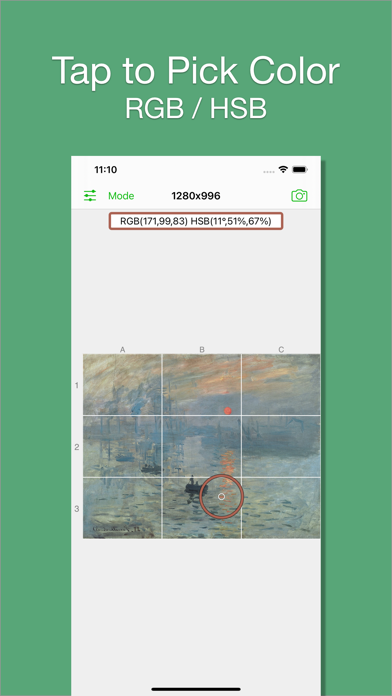
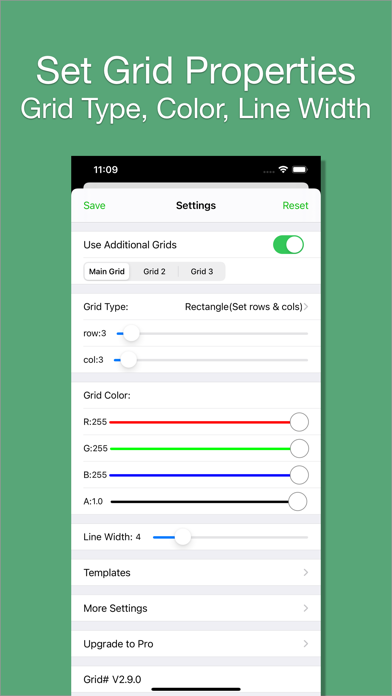
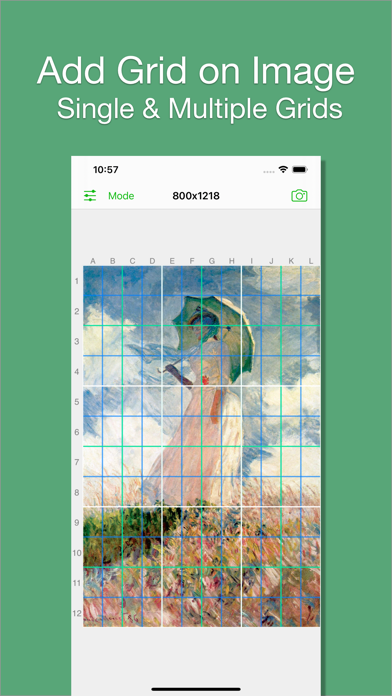
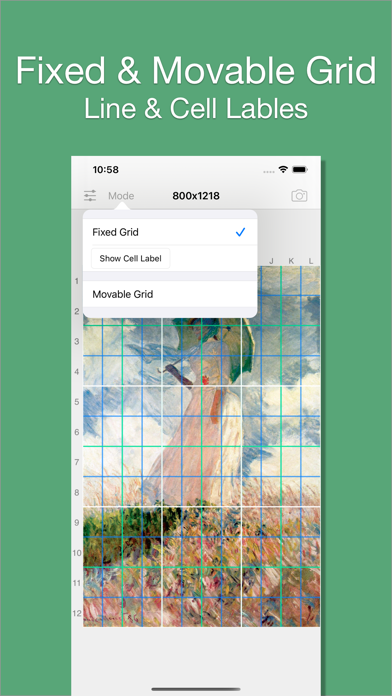
I believe there are always some people in this world who want to add grids to images, just like me. That's why I developed Grid#. Hope it helps. Features: 1. Add grid on image. 2. There are 5 types of grids you can choose: - a. Rectangle(Set rows & cols) - b. Square(Set rows only) - c. Square(Set cols only) - d. Rectangle(Set row height & col width) - e. Square(Set row height only)[pro feature] 3. The lines can be colourful. Use whatever RGB color you like. You can change lines' transparency. 4. You can change line width (from 1 to 20). 5. You can add multiple grids(at most 3) on the image. [grid 3 is pro feature] 6. You can pick colors from image. 7. There are 2 modes: - a. Fixed Grid: Grid cannot be moved nor be rotated. - b. Movable Grid[pro feature]: Grid can be move, or be rotated (Move two fingers around each other to rotate the grid)
Released
Sep 11, 2015
Category
Photo & Video
Content rating
4+
Price
Free
In-app purchases
No
WWUSGBDEJPINBR

No chart data

No rank history yet for this selection.

→

Screenshots

4
Grid # - Add grid on image screenshot 1Grid # - Add grid on image screenshot 2Grid # - Add grid on image screenshot 3Grid # - Add grid on image screenshot 4