Turn your golf clips into highlights with Teevori. Shape a shot tracer, take a closer look at your swing and plan your next shot with GPS distance tools.
Make the flight visible
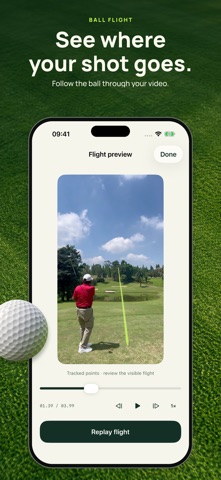
Import a short golf video and create a flight trail. Adjust its color, width and style, preview the result and refine the curve by hand. Guided ball selection and automatic tracing in supported conditions help you get started.
Take a closer look at your swing
Replay in slow motion, move frame by frame, draw reference lines and compare two of your own swings side by side. Keep the details you want to work on in view.
Plan your next shot
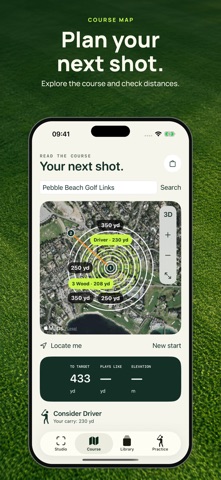
Explore a satellite map, set a start and target, and check estimated distances in yards or meters. Use distance rings and your personal club distances to help plan the shot.
Create and share
Keep editable projects on your device. With Teevori Pro, export your highlights and use the app's premium editing tools. Video processing happens on your device.
For best tracing results, keep the camera steady and the ball visible. Automatic tracing depends on the footage and may detect only part of the flight; review and adjust the result before sharing. Teevori supports imported clips up to 60 seconds. It does not measure ball speed, spin or carry distance, or provide an automatic coaching diagnosis. GPS distances are estimates.
Teevori Pro is available as a weekly or yearly subscription or a lifetime purchase. Prices and any trial you are eligible for are shown before purchase. Subscriptions renew automatically unless canceled through your Apple Account. Restore purchases in the app.
Privacy Policy: https://nazarovkirill.tech/privacy-policy.html
Terms of Use: https://www.apple.com/legal/internet-services/itunes/dev/stdeula/
Support: wallpixinfo@gmail.com