StoreIntel
AppsTop ChartsTrendingKeywordsMy Apps
Not affiliated with Apple Inc. App Store is a trademark of Apple Inc.Top chartsSupportTermsPrivacy

FriendlyMag 4K - Magnifier

sky-nexus Inc. · Health & Fitness · 13.7y old

Free
◆ ProTrack this app App Store

Performance · Worldwide

Est. downloads / month · WW

<5K

Below chart threshold

Est. revenue / month · WW

<$5K

Below chart threshold

Rating · WW

4.4★

55 ratings

Chart position

Rank history — US · Top Grossing

Apple's Top Grossing chart — all apps ranked by revenue (purchases + subscriptions).

Top FreeTop Grossing

Ratings count — US

55
◆ Pro1 chart locked

See the numbers behind the rankings

  • Keyword RankingsWhich App Store searches it ranks for, and where
Unlock everything →

Listing

About

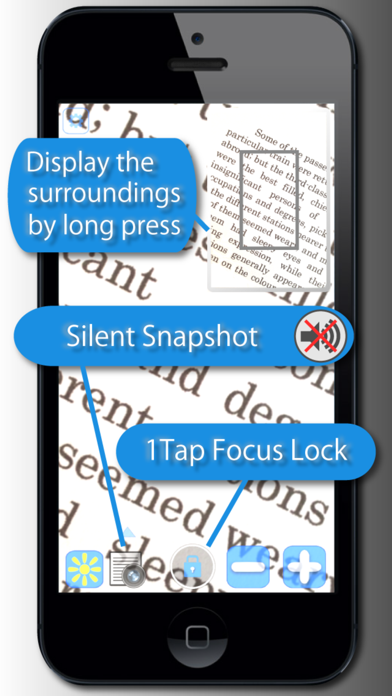
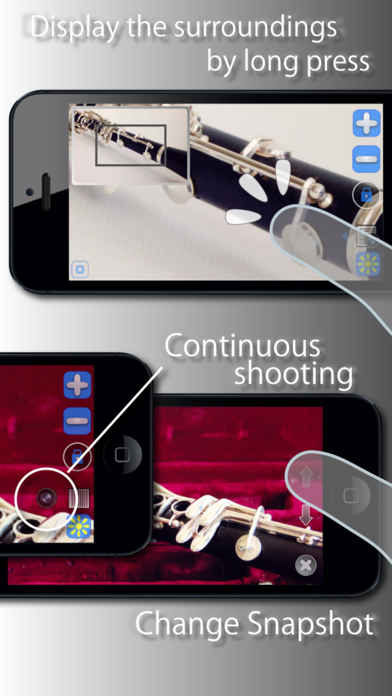
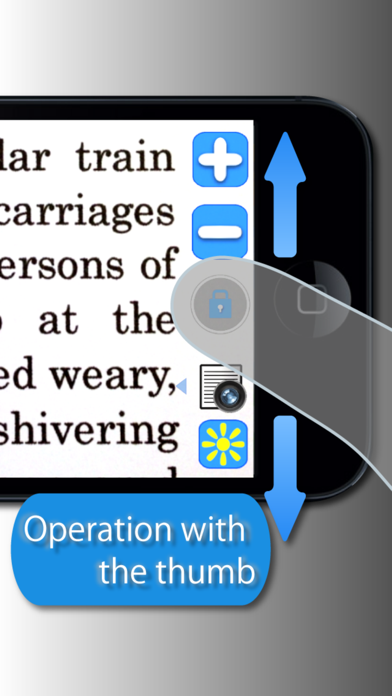
High-quality 4K of magnifying glass app. This is a magnifying glass app that can be used to read small writing on printed material such as newspapers and magazines. It is a must-have app from your 40's when you feel that your eyesight is starting to get worse. You can lock the focus with one tap. Using the snapshot function, you can view while holding the screen close by. Features - High image quality 4K - Focus lock is easy on the eyes - Quiet snapshot function - Snapshot function saves battery - Snapshot Save up to 50 sheets - The second screen you can view the whole. - Can be operated just with thumbs when held sideways - a wide viewing screen is provided by positioning the buttons on the edges - Flash light illumination - You can view a very large screen, if the iPad. Top In-App Purchases - not displaying advertisements.

Released
Feb 19, 2013
Category
Health & Fitness
Content rating
4+
Price
Free
In-app purchases
No
Developer site
sky-nexus.com ↗
WWUSGBDEJPINBR

No chart data

No rank history yet for this selection.

Screenshots

5
FriendlyMag 4K - Magnifier screenshot 1FriendlyMag 4K - Magnifier screenshot 2FriendlyMag 4K - Magnifier screenshot 3FriendlyMag 4K - Magnifier screenshot 4FriendlyMag 4K - Magnifier screenshot 5