StoreIntel
AppsTop ChartsTrendingKeywordsMy Apps
Not affiliated with Apple Inc. App Store is a trademark of Apple Inc.Top chartsSupportTermsPrivacy

FreeEdit, PDF Editor

Ahmed Abd El Hamid Ibrahim · Productivity · 3.9y old

FreeSubscriptions
◆ ProTrack this app App Store

Performance · Worldwide

Est. downloads / month · WW

<5K

Below chart threshold

Est. revenue / month · WW

<$5K

Below chart threshold

Rating · WW

4.0★

118 ratings

Chart position

Rank history — US · Top Grossing

Apple's Top Grossing chart — all apps ranked by revenue (purchases + subscriptions).

Top FreeTop Grossing

Ratings count — US

118
◆ Pro1 chart locked

See the numbers behind the rankings

  • Keyword RankingsWhich App Store searches it ranks for, and where
Unlock everything

Listing

About

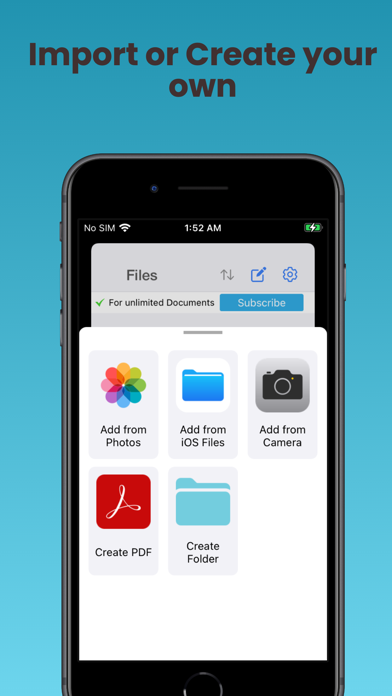
Scan, Read, Edit using only your iPhone and iPad. Scan Any Document On The Go - Scan Documents and save as PDF. - Import PDF, images, photos to Read, Edit, Sign & OCR. - Tap to instantly add text or write using apple pencil. - All Scanned & Imported Documents are Completely Readable & Editable - Read, Edit, draw, highlight and Sign any Document. - Insert, Remove, Rearrange & Rotate PDF Pages. - Text recognition. - Search PDF. - Export and share your results with others. You can choose any of the available plans by upgrading to Subscription Version. All payments will be charged to your Apple Account ID. The subscription automatically renews unless it is canceled at least 24 hours before the end of the current period. Your account will be charged for renewal within 24 hours prior to the end of the current period. You can manage and cancel your subscriptions After Purchase by going to your App Store account settings. We are love to hear from you any suggestions. Link to Terms of Use (EULA): https://www.apple.com/legal/internet-services/itunes/dev/stdeula/
Released
Nov 23, 2022
Category
Productivity
Content rating
4+
Price
Free
In-app purchases
Subscriptions
WWUSGBDEJPINBR

No chart data

No rank history yet for this selection.

→

Screenshots

6
FreeEdit, PDF Editor screenshot 1FreeEdit, PDF Editor screenshot 2FreeEdit, PDF Editor screenshot 3FreeEdit, PDF Editor screenshot 4FreeEdit, PDF Editor screenshot 5FreeEdit, PDF Editor screenshot 6
