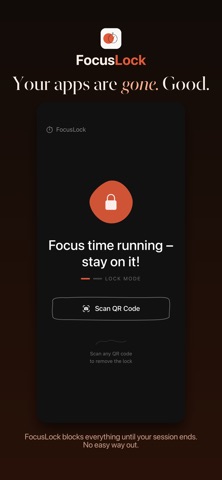
FocusLock is a simple focus timer with app blocking — completely free. No subscription, no account, no ads.
WHAT MAKES FOCUSLOCK DIFFERENT
Instead of a pause button you'll tap the moment your willpower wavers, you end a session by scanning a QR code — on packaging, on a book, on a poster, or on your own code stashed somewhere across the room. This forces you to physically step away from your phone before resuming
Set a timer, start your session, and your screen locks. To unlock early, you need to scan any QR code. That small physical barrier is enough to break the reflex of picking up your phone — and actually get work done.
HOW IT WORKS
— Set your focus duration and choose a mode
— FocusLock takes over your screen
— Your timer runs as a Live Activity, visible even on the lock screen
— To exit early: scan any QR code (print one, use one you already have)
— When your session ends, you're free
BUILT-IN POMODORO SYSTEM
Set your work interval, break length, and number of rounds. FocusLock guides you through structured focus sessions automatically.
APP BLOCKING
Choose which apps to block during your session. Social media, news, games — gone until your timer ends.
EMERGENCY UNLOCK
Life happens. A limited number of emergency unlocks per week let you break out when you truly need to — with a deliberate 5-press confirmation to prevent impulse use.
STATS & STREAKS
Track your focus history, see your weekly progress, and build a streak that keeps you coming back.
PRIVATE BY DESIGN
No account required. No analytics. No tracking. Everything stays on your device.
FocusLock is for people who know they work better without their phone — and want a tool that enforces it.
Terms of Use: https://www.apple.com/legal/internet-services/itunes/dev/stdeula/