Meet Fello AI, your AI coworker. Ask anything, talk to AI, work with files, search the web, create documents, and get real work done faster.
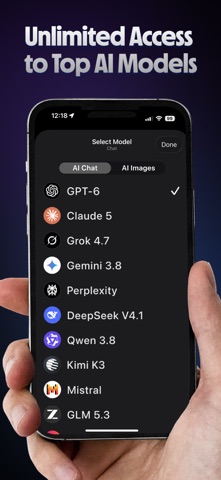
Use the latest AI models like GPT-6, Claude 5.5, Gemini 3.8, Grok 4.7, GLM 5.3, DeepSeek V4.1, Qwen 3.8 Max, MiniMax M3, Kimi K3, and Muse Spark 1.3 in one fast native app with a 4.7 / 5 average rating worldwide. Available on Mac, iPhone, and iPad.
Create real PowerPoint, Excel, Word, and PDF files, generate podcasts, research complex topics and more!
— EVERY AI MODEL, ONE APP —
Stop paying for ChatGPT, Claude, and Gemini separately. Fello AI brings leading AI models into a single subscription, so you can choose the right one for every task.
• For text: GPT-6, Claude 5.5, Gemini 3.8, Grok 4.7, GLM 5.3, Perplexity, DeepSeek V4.1, Qwen 3.8 Max, MiniMax M3, Kimi K3, Muse Spark 1.3, Mistral, & more
• For images: GPT Image 2.5, Nano Banana 2, Grok Imagine 2, SeedDream 5, FLUX.2, Muse Image
— KEY FEATURES —
• Access leading AI models in one app
• Talk to AI using your voice
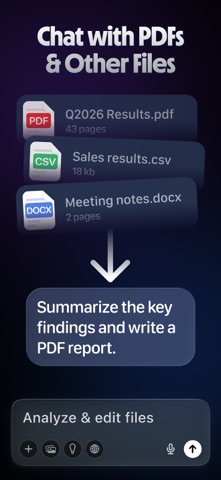
• Chat with PDFs, images, documents, spreadsheets, presentations, iWork files, code, and more
• Create real .pptx, .xlsx, .docx, and .pdf files directly from chat
• Search the web & use Deep Research for complex tasks
• Generate and edit images with AI
• Organize chats and files into Projects
• AI Skills for travel, podcasts, writing, and more
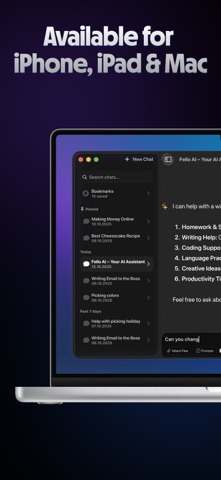
• Sync everything across Mac, iPhone, and iPad
— WHAT CAN YOU DO WITH FELLO AI? —
1/ Ask or talk about anything
Type or use your voice to ask questions, explore ideas, learn, brainstorm, and get practical guidance.
2/ Create presentations
Describe a pitch deck, training material, or lecture and get a complete .pptx with charts and images.
3/ Build spreadsheets
Turn reports into Excel sheets, create trackers, analyze data, or build financial models with real formulas.
4/ Chat with your files
Upload PDFs, images, spreadsheets, presentations, documents, iWork files, code, logs, and more. Ask questions, summarize, analyze, or transform them.
5/ Search and research the web
Fello AI can automatically search when a model needs fresh information, or use Deep Research for more complex topics.
6/ Generate and edit images
Create photos, illustrations, graphics, and product concepts, or upload an image and ask AI to edit it.
7/ Organize work into Projects
Keep related chats, files, and work together so you can easily continue where you left off.
8/ Plan trips
Research destinations, check visa rules, compare accommodation, build itineraries, and prepare trips with Travel Skill.
9/ Generate podcasts
Turn documents, websites, or conversations into podcast-style audio content.
— SUBSCRIPTION INFO —
Fello AI includes a free tier with limited daily messages. Unlimited access to all AI models and Skills is available with a subscription and free trial. No ads or hidden fees.
— GOT FEEDBACK OR NEED HELP? —
Reach out at felloai@icloud.com. I actively update Fello AI based on user feedback.
Terms of Use: https://felloai.com/terms-of-use/
Privacy Policy: https://felloai.com/privacy-policy/