ezClocker Personal is the top-rated app for freelancers and self-employed people to track their personal work
hours, calculate total pay, and create their own timesheets!
Whether you’re a freelancer working at home or a self-employed individual working in the field, ezClocker
gives you the tools you need to easily and efficiently track your billable hours, calculate your total pay
based on hourly-rate / hours worked and much more!
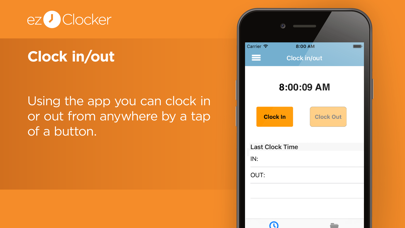
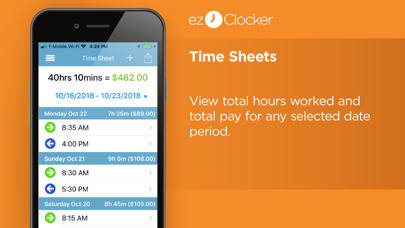
Clock in and out on the app with 1 tap, see your hours worked for the day, week, month, or set your own
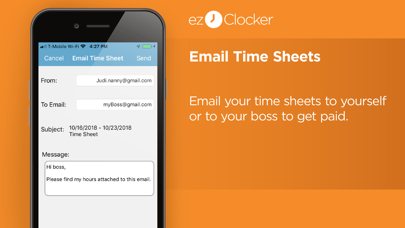
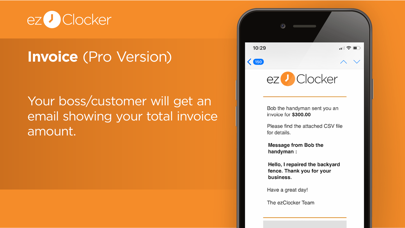
custom timeframe. Once the project or job is finished, you can email your timesheet and a message to
your client or boss in just one tap!
------------------------------------------------------------
WHY TRACK YOUR TIME WITH EZCLOCKER?
------------------------------------------------------------
• Clock in and out anywhere on your mobile phone
• Enter hourly pay rate & hours worked to calculate total pay
• Track daily, weekly & monthly work hours
• Track work hours within a custom time period
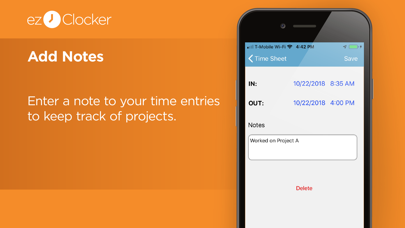
• Add notes to your time entries to keep track of what you worked on.
• Export data as a .csv and email to yourself, your supervisor or clients
• Streamlined UI makes time management stress-free and simple
Data is stored in the secure ezClocker cloud - 24/7 access to your data through the ezClocker website or
iPhone app
------------------------------------------------
ezClocker Personal is perfect for…
------------------------------------------------
• Freelancers: designers, consultants, and agents.
• Self-employed individuals: nannies & caregivers.
• Contractors who are tracking their own time.
• Part-time employees working multiple jobs.
• Workers in the Gig economy.
… and so much more!
IF YOU ARE A BUSINESS WHO NEEDS TO TRACK YOUR EMPLOYEES HOURS PLEASE USE OUR OTHER APP EZCLOCKER FOR BUSINESS.
------------------------------------------------
In-App Purchases:
------------------------------------------------
We offer an upgrade of $4.99/month for additional features like:
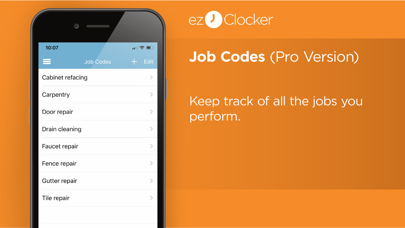
- Adding unlimited job codes with hourly rates.
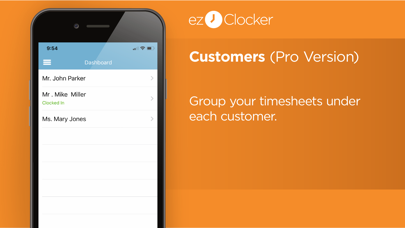
- Adding as many customers/bosses as you like and group your timesheets under each customer/boss to be viewed and emailed separately.
If you choose to upgrade you will get a 30 days free trial. After the 30 days, if you do not cancel the subscription will auto-renew.
------------------------------------------------
Automatic Renewal Feature:
------------------------------------------------
Your subscription will be charged to your iTunes Account at confirmation of purchase and will automatically renew unless auto-renew is turned off at least 24-hours before the end of the current period. Subscribers can manage their subscription including turning off auto-renewal by visiting their iTunes Account Settings after purchase.
Please visit https://ezclocker.com/public/privacy.html to learn more about how we protect your privacy and https://ezclocker.com/public/ezclocker_terms_of_service.html for our terms of service.
TRACK YOUR WORK HOURS THE SMART WAY – DOWNLOAD EZCLOCKER PERSONAL NOW!