PDF Sign & Edit – Sign, Merge & Share Documents Instantly
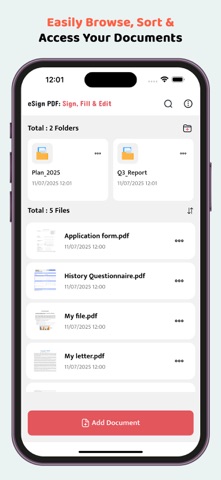
PDF Sign & Edit is your all-in-one solution for managing and editing PDF files effortlessly. Whether you need to sign documents, merge PDFs, convert images to PDF, or add text and icons, this smart productivity tool is designed to simplify your digital paperwork.
Perfect for professionals, students, freelancers, and business users, our app helps you save time, boost productivity, and securely manage documents on the go.
Key Features:
-Sign PDF Documents
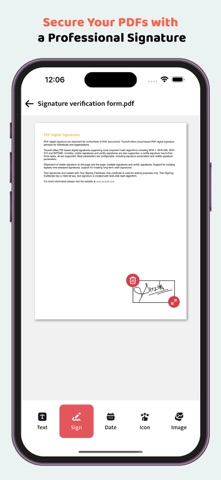
Easily add your digital signature to any PDF. Draw or upload your signature to sign contracts, forms, agreements, and more.
-Convert Image to PDF
Quickly scan or select images from your gallery and convert them into high-quality PDF files.
-Merge Multiple PDFs
Combine several PDF files into a single document with just a few taps.
-Duplicate PDFs
Make copies of important PDF files for backup or editing purposes.
-Save PDF with Signature
Securely save and store signed PDFs locally or share them instantly.
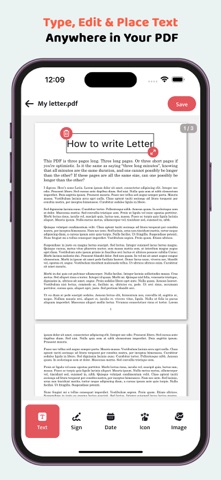
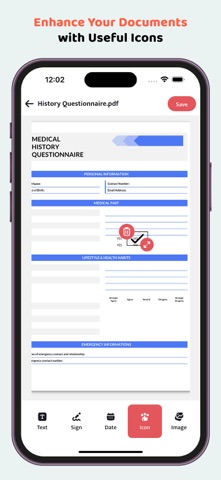
-Add Text, Date, Icon & Image
Insert custom text, dates, stamps, or images into your PDF documents for personalized edits.
-Share PDFs Easily
Send documents via email, messaging apps, or cloud services with a single click.
Why Choose PDF Sign & Edit?
User-friendly Interface
Offline PDF Tools
Fast Processing
Lightweight & Secure
No Watermark on PDFs
Perfect for E-Signature Needs
Start managing your PDF files smarter and faster. Download PDF Sign & Edit now and take control of your digital documents!
Privacy First All documents remain on your device unless you choose to share them. Your privacy is our priority.
# Subscription Details #
• Subscription unlock signatures, Merge PDFs, Remove all ads.
• Monthly, Half Yearly and Annual subscriptions are available.
• Payment will be charged to your iTunes account at confirmation of purchase.
• Your subscription will automatically renew unless auto-renew is disabled at least 24 hours before the end of the current subscription period.
• Automatic renewals will be charged at the same price you were originally charged for the subscription.
• Subscriptions can be managed by going to Account Settings on the App Store after purchase.
Privacy Policy:
https://sites.google.com/view/creative-privacy-policy/
Terms of Service:
https://sites.google.com/view/creative-terms-service/