My Documents: PC File Explore (File Manager) is a FREE and the #1 most powerful file manager in the world that enables you to manage files on App. You can handle folder, files, view images, play music, videos, show PDF documents, Word documents, Excel documents, ZIP/RAR files ... and export them to your computer.
** Documents (PC File Explore): Manage files and using Multiple Select, Cut/Copy/Paste, Move, Create, Delete, Rename, Search, Share, Send. All operations can be performed on local files app manager.
* Explorer file: File storage can containt file organizer in folder and the folders are organized under a hierarchy of directories and subdirectories.
FEATURES
# My Manager Files, File commander:
- Create new folder? - Copy, cut, paste, delete, rename operations
- Create file text/Note and file sharing it
- Sort files by "Name", "Size", "Type", "Modified Date"
- "Open in" feature allows you to open files in other apps
- Take photo or video inside the app.
- Support iTunes USB File Sharing
- Transfer files from your PC/Mac using Wi-Fi
- Multiple clouds(Google Drive, Dropbox and more)
- Backup the images, video from to clouds, drive
- Support multi selection files
- Built-in search feature
- Support shortcut long press selected item
in Header Section: Add photo or video
- Share folder and Share Files by email, bluetooth ...
# Shows thumbnails: For Videos and images
# Text viewers(txt) and editors
- Control font and size
- File sharing through to cloud
# Powerful media player
- Play all audio file in current a folder
- Save videos in any folders
- Support mov, m4v, mp4, flv, avi
# Music player, File Player
- Music manager in my folders or list song and can create my music folder of your
- Save Music in cloud or folders
- Suppor multimedia and background play
- Play control
- Support mp3, wav, wma with timelock
- Suport music transfer, imedia share to other device
# Recorder audio
- Unlimited recording time
- Loop recordings
- Trim recodings
# Document viewer
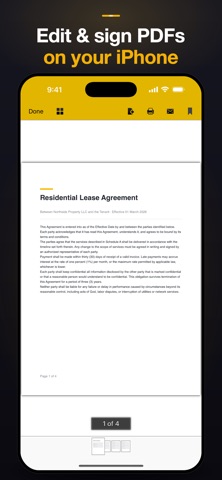
- Pdf viewer and Integrated PDF Reader(support open with password in pdf files) are good reader
- Support document: Microsoft Office, Excel, Power Point
- Send file as email attachment with folder, file
- Share any files on airdrop
# Support open ebook
#Built-in ZIP and RAR support: Allows you to compress and decompress ZIP folder, zip files (zip extractor), unpack RAR files with lock pass, and create ZIP lock files and share it
# Privacy Protection
- Passcode protect files(lock app)
and much more ...
if you need to contact or comments for app please send mail: khanhlv.it@gmail.com
File Manager Premium Subscriptions:
- Subscribed users have an ad-free experience.
- Auto-renewing subscription plans:
• Weekly (with 3-day free trial) — USD 4.99 / week after the trial
• Yearly — USD 19.99 / year
A one-time Lifetime purchase (USD 29.99, non-renewing) is also available.
- For the Weekly plan with a free trial: the trial lasts 3 days. If you do not cancel at least 24 hours before the trial ends, it automatically converts to a paid Weekly subscription at USD 4.99 per week.
- Payment will be charged to your iTunes/Apple ID account at confirmation of purchase.
- Subscription automatically renews unless auto-renew is turned off at least 24 hours before the end of the current period.
- Your account will be charged for renewal within 24 hours prior to the end of the current period, at the cost indicated for your selected plan.
- Subscriptions may be managed by the user, and auto-renewal may be turned off by going to the user's Account Settings after purchase.
- Any unused portion of a free trial period will be forfeited when the user purchases a subscription, where applicable.
Privacy Policy: https://tapfiles.blogspot.com/2019/09/privac-policy.html
Terms of Use (EULA): https://tapfiles.blogspot.com/2019/09/licensed-application-end-user-license.html