"Dimmer! Brightness control application! Very useful, and for free!"
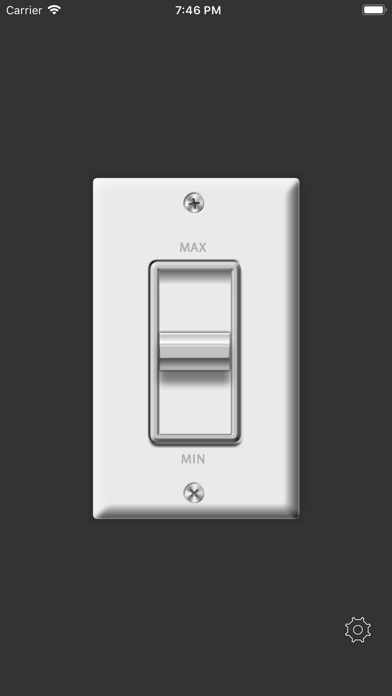
iPhone back light can be adjusted in favorite luminosity very quickly.
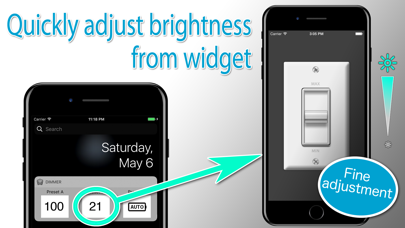
You can start it with the brightness specified by a shortcut from the widget.
Because your iPhone life becomes comfortable ”epoch-makingly".
*** Convenient features ***
● Launch from widget
You can add brightness presets to widgets.You can quickly access presets with fine brightness.
Register a preset in advance from the application, then "Edit" on the widget screen, register the “Dimmer" application from the + button, and you are done.
●Advanced Mode
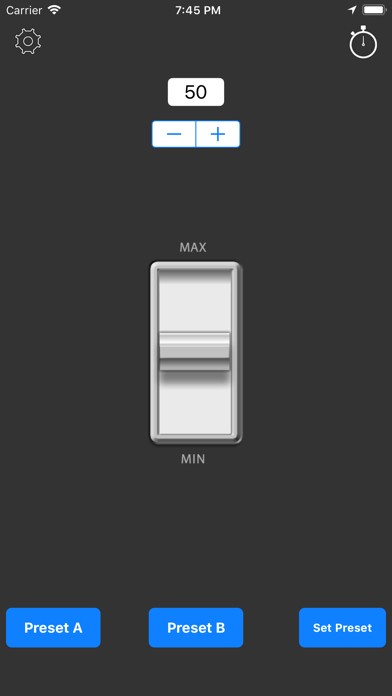
Advanced mode can perform preset function, numerical value fine adjustment and Timer function.
● Battery mode
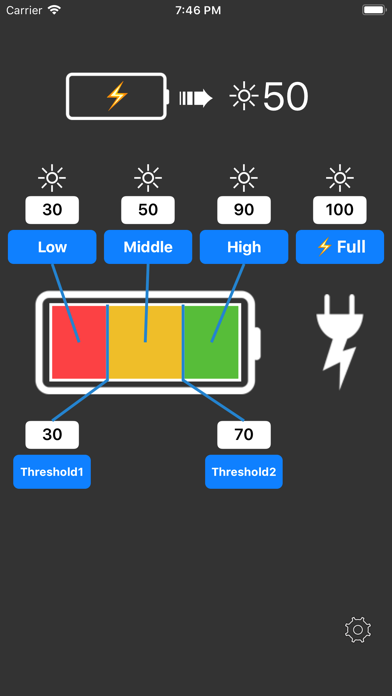
Automatically adjusts to the preset brightness according to the current battery level.
Fine pre-adjustment is possible, such as maximum brightness while charging and re-low brightness when the battery level is low.
Combined use with widgets makes it even more convenient!
●Preset function
Two presets, Preset A and Preset B, can be stored.
●Timer function
When the set time elapses, there is an alarm notification, and when you tap on the notification you can set the brightness preset.
●Color bars function
Displays a color bar in the background for brightness adjustment.
●Start & Preset Function
Upon application startup, the screen brightness is set to the value set in Preset A.
●Start & Preset A ◀▶ B
For example, if you set a high brightness for Preset A and a low brightness for Preset B, each time the application is launched, it will switch between Preset A>B>A>B, which is useful when temporarily brightening or dimming the screen.
※If you have the iOS setting automatic and make a setting change through this app, it reverts back to automatic iOS setting once you sleep/wake.
--- URL schema ---
brightness://brightness.newforestar.com?XXX (brightness 0~100)