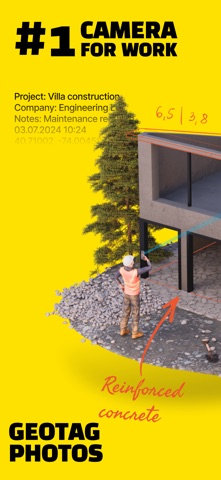
The #1 camera app for field professionals - with over 4 million downloads. Conota Camera captures photos and adds GPS coordinates, timestamps, project names, and notes in one step, so you can focus on your work instead of your paperwork.
Conota - GPS Camera & Timestamp Camera makes capturing pictures and taking notes more efficiently, combining both processes in one single app.
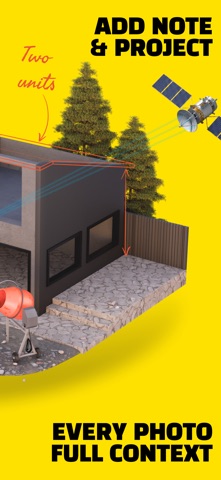
There is no need to take notes on a piece of paper while taking pictures. Conota will add your inserted notes automatically both to the picture and to the file name. This will give you more time to concentrate on your work, while Conota will take care of saving your notes and pictures combined in a lossless format onto your phone.
Conota works, so you can work!
With Conota - GPS Camera & Timestamp Camera, you can add a project name, company name, notes and more information, for example a reference no. or chainage directly in the app while taking pictures.
Additional relevant data for professionals, e.g. GPS coordinates / photo location (latitude and longitude and multiple other coordinate formats), GPS accuracy, altitude, address, date and time (timestamp) will be added by Conota.
Information that can be added:
- Project name
- Taken notes
- GPS coordinates / photo location (latitude and longitude & more)
- GPS accuracy (in m or ft)
- Altitude (in m or ft)
- Date & time (timestamp)
- Address
- Compass direction
- Customized company logo
- Reference No. / Chainage
Conota - GPS Camera & Timestamp Camera supports the following coordinate/grid systems:
- WGS84 (latitude and longitude)
- UTM
- MGRS (NAD83)
- USNG (NAD83)
- State Plane Coordinate System (NAD83 - sft)
- State Plane Coordinate System (NAD83 - ift)
- ETRS89
- ED50
- British National Grid (OS National Grid)
- Map Grid of Australia (MGA2020)
- RD (RDNAPTRANS2018)
- Irish Grid
- Swiss Grid CH1903+ / LV95
- New Zealand Transverse Mercator 2000 (NZTM2000)
- Gauß-Krüger (MGI)
- Bundesmeldenetz (MGI)
- Gauß-Krüger (Germany)
- SWEREF99 TM
- MAGNA-SIRGAS / Origen-Nacional
- SIRGAS 2000
- CTRM05 / CR05
- PRS92
- PT-TM06 / ETRS89
- STEREO70 / Pulkovo 1942(58)
- HTRS96 / TM
Conota - GPS Camera & Timestamp Camera is used by land surveyors, civil engineers, construction managers, architects, geologists, real estate agents, and other professionals world-wide. Become one of them!
By using our app, you accept our Terms of Use. For information on how we handle your data, please refer to our Privacy Policy.
Terms of Use: https://sites.google.com/view/conota-terms
Privacy Policy: https://sites.google.com/view/conota-privacy