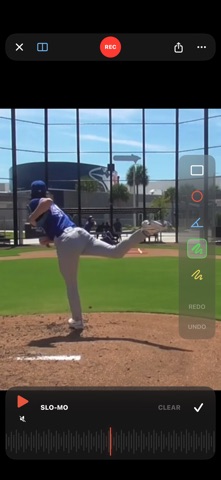
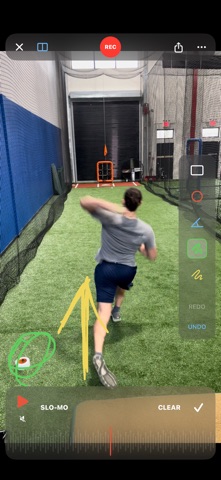
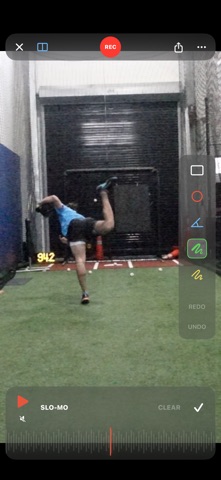
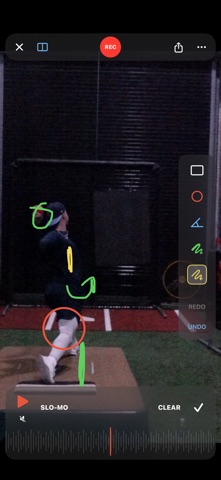
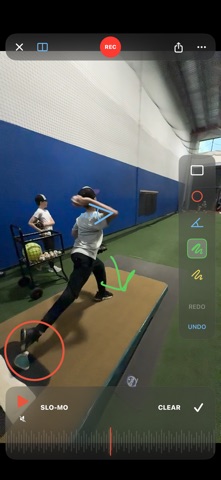
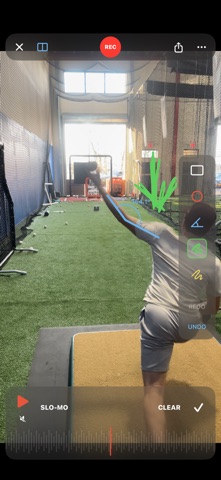
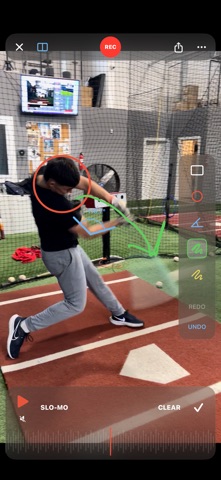
CoachCam is a video analysis tool built for coaches who record athletes in training — at the cage, on the court, at the range, in the gym, on the track. Record in buttery slow-motion, scrub frame-by-frame with a jog wheel, draw on any frame, compare two clips side-by-side, and share annotated breakdowns with athletes and parents.
No subscription. No account. No cloud. Buy it once, use it forever — your clips stay on your phone.
KEY FEATURES
240fps SLOW-MOTION CAPTURE
Record at up to 240 frames per second on supported iPhones. Configurable down to 120fps or 60fps. Choose 1080p or 720p. Switch lenses (.5x / 1x / Tele) mid-session without losing the shot. Built-in countdown timer and auto-stop let you film yourself.
FRAME-BY-FRAME JOG WHEEL
The scrubber at the bottom of the screen moves with your finger like a real jog wheel. Drag to find the exact frame you want. Pre-cached frames mean the scrub stays smooth even on long 240fps clips. Flick to throw the playhead through the clip with momentum.
TELESTRATION TOOLS
Pause on any frame and draw. Pen, highlighter, rectangle, circle, and angle measurement. Tap three points to measure elbow angles, knee flexion, hip rotation, shoulder extension — any angle that matters to your sport. Drawings persist with the clip.
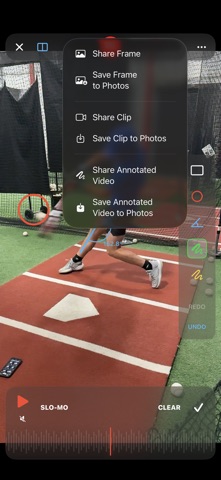
SIX SHARE OPTIONS
Share the current frame as an annotated screenshot, or save it to Photos. Share the raw video clip, or save it to Photos. Or render an annotated video — your drawings baked right into the file — and send it via AirDrop, Messages, email, or save it to your camera roll.
COMPARE TWO CLIPS
Stack two clips side-by-side for before/after comparisons, pro-vs-amateur breakdowns, or same-athlete week-over-week progress. Set a sync point on each clip — contact, impact, release, takeoff — then link the scrubbers so both clips move in lock-step from that reference. Draw on each panel independently.
ATHLETE ORGANIZATION
Assign clips to athletes, tag them with keywords like "warmup" or "fall 2026" or "tournament prep," and filter the gallery to find any athlete's clips in seconds. Search by athlete name or tag.
VOICEOVER NARRATION
Record your voice over a playback session with screen recording built in. Scrub, draw, explain — then send the whole breakdown to the athlete or parent as a single video.
TRIM TOOL
Cut the dead air before and after the rep. Frame-accurate trim preserves the full 240fps — no re-encoding, no quality loss.
PINCH TO ZOOM
Zoom into the contact zone, the release point, the takeoff foot, the grip. Two-finger drag to pan around while zoomed in.
IMPORT + EXPORT
Pull in clips from your camera roll. Send raw or annotated videos through AirDrop, Messages, Mail, or any installed app. Save anything to Photos.
NO SUBSCRIPTION
One price, one app, yours to keep. Everything runs on your phone — no login, no cloud storage fees, no monthly charge.
BUILT BY A COACH
CoachCam was built by a training facility owner who needed a tool that did the essentials right: record, scrub, draw, share. Not a coaching platform. Not a CRM. A video tool.
WHO IT'S FOR
Any coach, instructor, or athlete who breaks down movement on video. Baseball, softball, golf, tennis, pickleball, gymnastics, martial arts, track and field, swimming, volleyball, basketball, weightlifting — any movement-based sport where the details matter.
REQUIREMENTS
iPhone running iOS 17 or later. 240fps capture requires iPhone 11 or newer on the wide lens. Works great on iPhone Pro models with ultra-wide and telephoto lenses.